Views: 0 Author: Site Editor Publish Time: 2026-02-07 Origin: Site
In today's world where desktop space is increasingly precious, mini PCs have become a preferred choice for office work, multimedia, and light entertainment due to their compact size, low power consumption, and high efficiency. How do you choose the perfect "dream computer" from the dazzling array of models, one that meets your needs and offers excellent value for money? This seems like a challenging task for users with limited budgets. However, by clearly defining your needs and choosing the right model, you can easily get a high-quality experience on a budget. Here, BMAX provides a super practical buying guide to help you get the most out of your money.

Define your needs first, then choose your machine–easily get your ideal computer
The key to choosing a mini PC is accurately matching your needs and budget. If you only need it for daily office work, web browsing, and 4K video playback, an entry-level configuration will easily suffice; if you need to run multiple applications, do light design work, and collaborate efficiently, a mid-range configuration will provide a smoother experience; if you pursue superior performance and future expandability, choosing a higher configuration will ensure a top-notch experience from the start. BMAX MaxMini series mini PCs are categorized by performance levels, covering everything from entry-level to high-end, with corresponding options for every budget, so you don't have to pay for unnecessary performance.

Entry-Level Choice: B1 Plus, the Practical King in the Hundred-Dollar Range
Budget Suitability: Extreme cost-effectiveness, effortless entry-level office work
Core Advantages: Lightweight and portable, complete basic configuration, low power consumption and cost savings

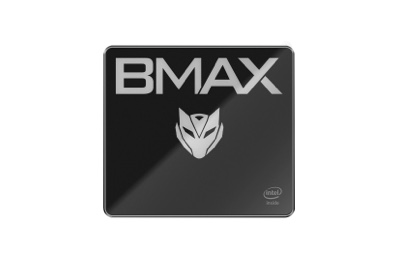
As an entry-level bestseller, the B1 Plus takes "practicality" to the extreme. Weighing only 223g and with a body only 36mm thick, it saves space whether placed on a desk or wall-mounted, making it easy to fit in apartments, student dorms, or office workstations. Equipped with an Intel J3355 processor, it offers a 25% performance improvement compared to the previous generation Celeron. The 6GB+128GB basic configuration, coupled with a dual M.2 SSD slot design, supports future expansion and meets basic needs such as office document processing, online learning, and 4K video playback.

Meanwhile, it's equipped with dual HDMI 1.4 interfaces, supporting 4K/60Hz dual-screen simultaneous or independent display, doubling the efficiency of multi-screen operation for office work; dual-band WiFi, Gigabit Ethernet, and four USB ports are all included, allowing for seamless connection of external keyboards, printers, and projectors. It comes pre-installed with Windows 11 and also supports Linux, with a one-key recovery function for easy system troubleshooting, making it easy for even novice users to get started. A complete computer experience is available at a low budget (100+ USD).

Advanced Choice: B2 Power, a high-value advanced option
Budget suitability: Slightly increased budget unlocks stronger performance and expandability
Core advantages: Double the performance, expandable memory, richer interfaces

If you want to unlock stronger performance beyond the entry-level, the B2 Power is a high-value advanced option. Despite its lightweight 300g body, its performance sees a significant leap. Equipped with an Intel 5205U processor, it offers a 103% performance increase compared to the N4000. 8GB DDR4 memory supports expansion up to 64GB, and 256GB NVMe SSD high-speed storage allows for smooth operation of multiple office applications and light design software, eliminating lag.

Its expandability is also comprehensively upgraded, featuring DP+HDMI dual video interfaces, still supporting 4K/60Hz dual-screen linkage, and also supporting Bluetooth 5.0 for more stable wireless connection of mice and headphones; USB 3.2 ports provide faster data transfer speeds for external hard drives and high-speed devices. Dual M.2 SSD slots + DDR4 memory slots provide ample space for future hardware upgrades, ensuring long-term use after a single purchase. It's an ideal choice for office workers and small studios, perfectly balancing performance and cost.

High-Performance Choice: B4 Plus/B4 Ultra, Enjoy a Seamless Experience
Budget-Friendly: Smooth experience for office work and light entertainment
Core Advantages: 12th/13th generation Intel processor, high-frequency memory, large storage, full-featured interfaces
If your budget allows for a slightly higher investment and you want to balance high performance, expandability, and long battery life, the B4 Plus and B4 Ultra models are excellent choices with no shortcomings, making them perfect partners for high-end office work, creative design, and home entertainment.

The B4 Plus features an Intel 12th generation N95 processor with a turbo frequency of up to 3.4GHz, a 32.4% performance improvement compared to the N5105. It boasts 12GB of LPDDR5 4400MHz high-frequency memory, with read/write speeds nearly 40% faster than LPDDR4, and 512GB of large storage, easily handling multiple applications and large file processing. The integrated graphics frequency reaches 1.20GHz, a 50% improvement compared to the N5105, supporting 4K video playback, dynamic HDR, and dual HDMI 2.1 interfaces, maximizing both multimedia experience and office efficiency. It also features a Type-C interface for more flexible external device connectivity.

The B4 Ultra offers even better performance, equipped with an Intel 13th generation N150 processor with a turbo frequency of up to 3.6GHz, 12GB or 16GB of large memory + 512GB high-speed SSD, resulting in ultra-fast operation. It can boot up in 8 seconds and open Office files in 2-3 seconds, ensuring efficient work without waiting. The integrated graphics performance is 25% better than the N100, with 24 execution units, capable of handling light video editing and creative design. It features a full range of interfaces (dual HDMI 2.1, Type-C, dual-band WiFi, Bluetooth 5.0), supports dynamic HDR, and is a one-stop solution for home theater, high-end office work, and light entertainment, meeting your needs for the next 3-5 years.

Universal Tips for Choosing a Mini PC: Focus on These Points for Maximum Value
Consider configuration suitability: Don't blindly pursue high specifications. For office work, choose 6GB/8GB RAM + 128GB/256GB storage; for creative design, choose 12GB/16GB high-frequency RAM + 512GB storage;
Consider expandability: Prioritize models with memory/hard drive slots and multiple video interfaces. This saves money on future upgrades and avoids premature replacement due to insufficient configuration;
Consider design details: Wall-mount design, one-key recovery, and dual-system support – these thoughtful features significantly improve the user experience and make it easier for entry-level users;
Consider brand quality control: As a professional mini PC brand, BMAX equips all its models with intelligent fans for efficient cooling, abundant interfaces, and stable network connectivity. Quality control is guaranteed, and after-sales service is worry-free.
Summary: Choose according to your needs, every model offers great value for money.

A limited budget is never a reason to miss out on a good computer; the key is finding the perfect match between "needs and configuration." The BMAX MaxMini series, from entry-level to high-end, is tailored to different budgets and needs, allowing users with varying budgets to find their ideal high-value option. The powerful performance hidden in a compact body awaits your unlocking!