Views: 0 Author: Site Editor Publish Time: 2026-09-24 Origin: Site
Over the past two years, "AI PC" has become the hottest buzzword in the PC industry. From chipmakers to device manufacturers, companies are rapidly rolling out computers that highlight AI capabilities. Yet, a question lingers in the minds of many users: does simply installing AI software or accessing cloud-based large models make a computer an AI PC?
The answer is clearly no. A true AI PC is not merely a computer capable of using AI services; it is a computer that possesses its own AI computing power. Its defining characteristic is the inclusion of a dedicated NPU (Neural Processing Unit) that enables the local execution and inference of AI models. This is not just a marketing gimmick, but a fundamental upgrade to personal computing architecture.
The industry has established clear hardware benchmarks for AI PCs, moving beyond vague promotional claims about functionality. Generally speaking, a qualified AI PC must meet three core hardware requirements:
1. Sufficient Dedicated NPU Computing Power: TOPS (Trillions of Operations Per Second) is the key metric for measuring AI inference performance; adequate NPU power is the baseline requirement for smoothly running on-device AI features.
2. Substantial Memory Support: Large Language Models (LLMs) and AI applications require significant memory; high-spec memory is a standard requirement, with even higher capacities needed for advanced use cases.
3. High-Speed Storage: Loading AI models and performing vector database searches rely on high-speed storage; standard mechanical hard drives or slow SSDs cannot support a smooth user experience.
A more fundamental definition is this: an AI PC is a personal computer capable of independently performing AI inference and computation without relying on cloud servers. While ordinary computers can access cloud-based AI tools via a browser, all computation takes place on remote servers, leaving the computer to act merely as a "display terminal." In contrast, an AI PC performs AI computations on its own local hardware, making the computer itself the "intelligent computing engine."
This explains why "installing AI software" does not equate to having an AI PC. Software can be installed on any device, but without the hardware support of a dedicated NPU, AI tasks must rely on the CPU or GPU. This results in low efficiency and high power consumption, making it impossible to deliver a consistent, fluid on-device AI experience.
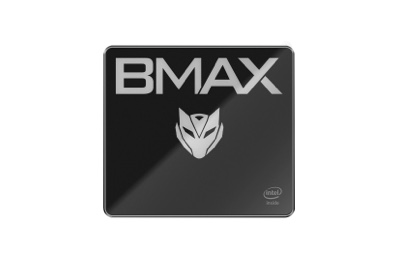
Take, for instance, the BMAX MaxMini B12 Power—a device currently garnering significant market attention—which is a true AI PC in every sense of the term. Powered by the Intel 14th Gen Core Ultra 9 185H processor and featuring a dedicated Intel AI Boost NPU, it is equipped with 24GB of high-speed LPDDR5 memory and a 1TB NVMe SSD. It meets AI PC hardware requirements across the entire pipeline—from computing cores to memory and storage—and delivers full on-device AI capabilities within a compact 390g chassis, shattering the stereotype that AI PCs must be bulky desktop towers.
Before the advent of AI PCs, computers relied on just two core computing units: the CPU and the GPU. AI PCs introduce a third computing engine: the NPU (Neural Processing Unit).
CPU (Central Processing Unit): Excels at general-purpose logic and task scheduling, handling daily scenarios like system operations, web browsing, and office applications; however, it is highly inefficient at the massive matrix calculations required for AI.
GPU (Graphics Processing Unit): Excels at large-scale parallel computing and is suitable for high-load AI generation tasks (such as high-definition image generation); however, it consumes significant power and generates substantial heat, making it ill-suited for running lightweight AI tasks continuously in the background.
NPU (Neural Processing Unit): Designed specifically for AI inference, it features hardware-level optimizations for neural network operations like matrix multiplication and tensor calculations, prioritizing low power consumption, low latency, and sustained operation.
To use a simple analogy: the CPU is like an office administrator who manages everything but isn't suited for repetitive batch calculations; the GPU is like a construction crew—powerful at heavy lifting but energy-intensive; and the NPU is a specialized AI clerk dedicated to handling AI-related tasks quickly and energy-efficiently. Take the Intel Core Ultra 9 185H platform powering the BMAX MaxMini B12 Power as an example: this processor utilizes Intel 4 lithography technology, featuring 16 cores and 22 threads with a turbo frequency of up to 5.1GHz. Its integrated Intel Arc graphics—equipped with 8 Xe-cores—support ray tracing and independent output across three displays, delivering performance comparable to the discrete GTX 1650 Max-Q GPU. Meanwhile, the built-in Intel AI Boost NPU is dedicated to AI inference tasks. Working in concert, these three components unlock a total AI computing power of 34.5 TOPS, balancing general-purpose computing, graphics rendering, and intelligent acceleration to form a comprehensive "three-chip" AI computing architecture.
Real-world testing shows that this platform can smoothly run large AI models with 20 billion parameters locally. It generates a high-definition AI image in just about one second, achieving an 8x improvement in AI energy efficiency compared to CPU-only processing. Additionally, the Intel GNA auxiliary acceleration unit further optimizes voice command recognition, ensuring more efficient local voice interaction responses.
Many people view local AI simply as something that "works without an internet connection," but that is merely the most superficial advantage. The local computing power provided by the NPU actually redefines PC AI capabilities across four dimensions: privacy, efficiency, cost, and user experience.
A major pain point of cloud-based AI is that all data must be uploaded to remote servers for processing. For individual users, this means chat logs, document contents, and meeting recordings could potentially be accessed by cloud services. For sectors such as finance, government, healthcare, and design, the transmission of sensitive data externally risks violating compliance regulations.
Local NPU computing power ensures that all AI calculations are performed on-device. Data—including documents, meeting records, and images—never needs to leave the computer, fundamentally eliminating the risks associated with data leakage and network transmission. For users of the BMAX MaxMini B12 Power, tasks such as transcribing meeting recordings, summarizing internal documents, or generating design drafts via AI are all handled locally, without the need to upload data to third-party cloud services. This is particularly beneficial for micro-enterprises, creative studios, and roles requiring high data confidentiality; this edge computing model fundamentally eliminates the risk of data leakage and removes the need to deploy additional enterprise-grade cloud AI services.
Cloud AI response speeds rely heavily on network quality; network fluctuations can lead to lag or waiting times. In contrast, local NPU inference achieves sub-millisecond latency, creating a vastly superior experience in scenarios requiring real-time interaction.
Features such as real-time subtitles and multilingual translation in video conferencing, speech-to-text transcription, background blurring, and eye-contact correction—as well as smart frame interpolation during video playback and AI-powered image cutout—run smoothly and in real-time thanks to the NPU, eliminating the "loading" delays often associated with cloud services. On the BMAX MaxMini B12 Power, users not only benefit from the NPU's powerful acceleration but can also drive three displays (mirrored or extended) via DP, HDMI 2.1, and Type-C ports. AI-assisted tasks run smoothly in parallel during multi-screen workflows without lag, and these functions remain fully operational even without an internet connection.
Cloud AI services typically operate on a pay-per-use model—charging per generated image or per token for large language models—resulting in recurring monthly expenses for high-frequency users.
Conversely, the AI PC’s local computing power represents a one-time hardware investment; running open-source large models and AI productivity tools locally incurs no additional API fees. Unlike cloud services that charge per token or image, the BMAX MaxMini B12 Power’s local AI capabilities require only the initial hardware purchase. Daily tasks such as AI-assisted writing, document summarization, image generation, and data analysis can be handled by local models without incurring extra monthly API costs. This offers a significant long-term cost advantage, making it ideal for heavy AI users like content creators and operations professionals.
Running AI tasks on a CPU or GPU often causes the processor to hit maximum load and fans to spin furiously. In contrast, the NPU is specifically designed for low-power AI inference, consuming significantly less power than CPUs or GPUs when handling the same AI workloads.
This low-power efficiency, combined with BMAX’s proprietary "Space Capsule" cooling system—featuring enlarged dual copper heat pipes, a high-performance "Giant Turbo" smart fan, and a top-cover air intake design—ensures rapid heat dissipation during AI operations, boosting cooling performance by 15%–25% compared to standard cooling solutions. This means the system remains quiet even during prolonged background AI tasks, avoiding issues like fan noise spikes or chassis overheating, while allowing the processor to deliver consistent, stable AI computing power.
Having covered the technical principles, let’s look at the tangible benefits that local NPU computing power brings to daily use:
End-to-end intelligent meeting assistance: Real-time local transcription of multi-party conversations, automatic generation of meeting minutes, and extraction of action items—all without uploading recordings to the cloud, ensuring security for sensitive meetings;
Document processing automation: One-click summarization of key points from hundreds of pages of PDF or Word documents, natural language search across all local files, and automatic organization of emails and reports;
Seamless multilingual workflow: Real-time translation for video conferences and foreign-language documents, supporting local translation between dozens of languages without needing an internet connection or external translation APIs.
For office professionals, the BMAX MaxMini B12 Power serves as an intelligent desktop workstation. Its 24GB of high-speed LPDDR5 memory (4400MHz–5600MHz) offers a 39.6% increase in read speeds over LPDDR4, ensuring smooth performance even when multitasking across office software, browser tabs, and AI tools; It comes with a 1TB NVMe SSD as standard and includes an extra M.2 2280 PCIe slot and a 2.5-inch SATA drive bay for scalable storage, ensuring rapid response times when loading large AI models or opening massive files. Measuring just 126mm x 112mm x 52mm and weighing approximately 390g, the unit is compact and saves desk space. Its "Starry Blue" finish features a rugged, triple-protection design—resistant to water, dust, and scratches—ensuring long-lasting color retention. Combining aesthetics with durability, it is ideal for creating a tidy, efficient modern workspace.
Accelerated Image and Video Editing: Features such as AI subject extraction, object removal, image enhancement, audio separation, and automatic subtitle generation are accelerated by the NPU hardware. This ensures faster processing speeds without consuming the main CPU's resources.
Local Generative Creation: Run local text-to-image and text-to-video models to quickly visualize creative drafts. Generate assets without waiting in queues or worrying about data leaks.
For content creators, the BMAX MaxMini B12 Power’s local AI capabilities are equally practical. Equipped with Intel Arc integrated graphics, it scores 3,751 in 3DMark Time Spy—a 23.4% performance boost over the GTX 1650 Max-Q. Supporting ray tracing and 4K/60Hz video output, it not only meets the demands of graphic design and video editing but also runs mainstream games like League of Legends, CS:GO, and Valorant smoothly during downtime, balancing productivity with entertainment.
Smart Video Call Optimization: Background blurring, beauty filters, eye contact correction, and ambient noise cancellation are all handled by the NPU in the background, ensuring smooth, lag-free calls.
Offline Smart Assistant: Runs lightweight Large Language Models (LLMs) locally. Whether you need to look up information, draft copy, or organize your thoughts, you can access AI capabilities anytime—even in environments without internet access, such as on airplanes or subways.
Some dismiss the AI PC as a marketing gimmick, but in reality, it represents the inevitable evolution of personal computing from a mere "tool" into an "intelligent assistant." Traditional PCs simply execute operations based on your input commands; AI PCs, however, proactively sense your needs and assist you in completing your work. Products like the BMAX MaxMini B12 Power demonstrate that AI PCs need not be bulky tower desktops; compact devices can just as easily house the local NPU computing power required to meet the full spectrum of office, creative, and entertainment needs.
Of course, local AI will not entirely replace cloud-based AI. The dominant model of the future will inevitably be a hybrid AI architecture: high-frequency, lightweight, and sensitive tasks will be handled by the local NPU, while complex, large-scale, and non-sensitive tasks will leverage cloud computing power. The AI PC serves as the crucial vehicle for this on-device intelligence.
When discussing AI PCs, the real focus should not be on whether they can use AI, but rather on whether AI can be genuinely, securely, and efficiently integrated into every usage scenario. The foundation of all this lies in the NPU embedded within the chip and the value of the local computing power it delivers.