Views: 0 Author: Site Editor Publish Time: 2026-09-30 Origin: Site
Many people assume that online AI tools stop working the moment the internet connection drops. But now there is a type of computer that can still run large models, generate images, and summarize documents even if the network cable is unplugged and the WiFi is disconnected. This is the AI PC. Many are curious: how exactly is offline AI achieved? Today, BMAX reveals the secrets behind local, on-device AI.
The web-based AI and cloud-based large models we use daily operate on a simple logic: you input text, the data is uploaded via the internet to a remote server, the server performs the calculations, and the results are sent back to your device. This model has several unavoidable shortcomings:
It requires a stable internet connection; it is unusable in offline environments.
・Uploading sensitive corporate plans, contracts, or original creative assets to the cloud poses a risk of data leakage.
・Network lag or server queues during peak times can lead to slow responses or generation failures.
・Long-term, frequent use requires ongoing subscription fees.
This is why many professionals and creators are turning to AI PCs—devices that bring AI computing power from the distant cloud directly into the computer itself.
The key hardware enabling an AI PC to run AI offline is the NPU (Neural Processing Unit). While the CPU handles general-purpose computing and the GPU manages graphics rendering, the NPU is a chip custom-built for AI workloads. It specializes in tasks like large model inference, image recognition, and text summarization, offering higher efficiency and lower power consumption.
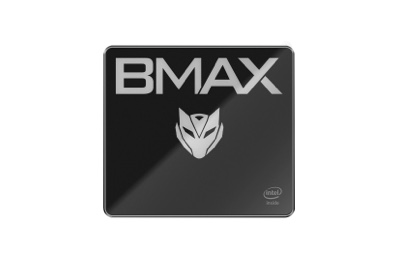
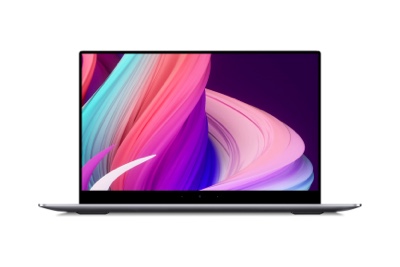
Take the BMAX MaxBook X17 Turbo laptop and the MaxMini B12 Power mini PC as examples: these products are equipped with Intel’s 14th Gen Core Ultra 5 115U and Core Ultra 9 185H processors, respectively. Both feature the built-in Intel AI Boost NPU, delivering local AI computing power ranging from 11 to 34.5 TOPS. With this level of computing power, the system can smoothly run open-source large models (7B and 13B parameters) locally. Tasks such as text-to-image generation, AI summarization, and speech-to-text transcription are all performed on the device itself; data never leaves the machine, eliminating the need to transmit files to the cloud.
In short, while online AI relies on computing power from internet servers, an AI PC houses that power directly within your computer. As long as the device has power, your AI assistant remains ready for action—even in a conference room without Wi-Fi or a location with no signal.
Many people wonder if offline AI capabilities are significantly compromised. In reality, it handles the vast majority of high-frequency needs in office work and creative scenarios:
・Local transcription of meeting recordings with automatic speaker identification and one-click generation of structured meeting minutes;
・ Import of lengthy PDF or Word documents, with AI quickly extracting key points and summaries to generate weekly reports or project drafts;
・Natural language analysis of Excel spreadsheets, automatically generating data charts and uncovering insights;
・Local processing of all contracts and internal corporate documents, eliminating concerns about trade secret leaks.
・ Local text-to-image generation: create conceptual images directly from prompts without waiting in cloud processing queues;
・AI-powered image editing, background removal, image expansion, and quality enhancement;
・ Local automatic video captioning and noise reduction/editing to assist in short-form video production.
Powered by a synergistic CPU+GPU+NPU architecture, the NPU handles AI tasks independently. This ensures that general office work and video editing performance remain unaffected, maintaining smooth multitasking.
MaxBook X17 Turbo AI Laptop: Features a large 15.6-inch HD display and a slim, lightweight metal body weighing just 1.7kg. Highly portable, it enables offline AI productivity anywhere—whether you are on a business trip or working on the go.
MaxMini B12 Power AI Mini PC: A palm-sized mini PC that saves desk space while offering a rich array of ports. It supports dual 4K display output and features dual drive bays for easy storage expansion and massive local file capacity, allowing you to effortlessly set up a desktop-based offline AI workstation.
Many people mistakenly believe that the arrival of AI PCs and offline AI capabilities spells the end for cloud-based AI. In reality, this is not the case. Local NPUs are ideal for lightweight AI tasks requiring privacy protection, low latency, or offline operation. Meanwhile, heavy-duty tasks—such as processing massive parameter models or complex AI rendering—can still leverage cloud computing power via an internet connection. The BMAX AI PC allows for seamless switching between these two modes:
・ Offline: Utilizes local NPU computing power to ensure privacy and rapid response; ·
・ Online: Integrates with large cloud-based models to handle more complex creative and computational needs.
One device, dual modes—balancing security and privacy with versatile, high-performance capabilities.
1.Corporate Professionals: Those who frequently handle contracts and project proposals, prioritize data privacy, and prefer not to upload internal documents to external networks;
2.Content Creators & Designers: Professionals working with original assets and creative sketches who prefer local generation to prevent premature leaks of their ideas;
3.Frequent Travelers & Field Workers: Individuals who often visit locations with unstable or non-existent internet connections but need AI assistance to organize data on the go;
4.Budget-Conscious Users: Those seeking a one-time purchase without the need for ongoing subscription fees for local AI usage, resulting in lower long-term costs.
AI development is shifting from a "cloud-only" dominance toward a collaborative "cloud-plus-edge" model. The secret behind the AI PC lies in the local, on-device computing power provided by the NPU. It eliminates the mandatory requirement to upload all data to the internet, keeping AI capabilities firmly within your own device.
With the BMAX MaxBook X17 Turbo and MaxMini B12 Power, offline AI is no longer an exclusive, high-end concept. Whether you are working remotely or creating at your desk, your AI assistant remains ready to help—even without an internet connection.