Views: 0 Author: Site Editor Publish Time: 2026-04-17 Origin: Site
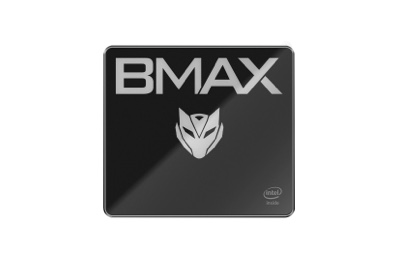
Modern hybrid work introduces constant friction for many professionals. You face an annoying hardware compromise every single day. Bulky desktop rigs offer massive power but anchor you to one room. Conversely, premium laptops deliver mobility but many of them often run hot and cost a fortune. The mini PC form factor solves this exact problem effectively. It serves as an emerging standard for dual-environment professionals. You carry the brain of your setup without hauling dead weight.
Our goal is to evaluate the newly released MaxMini B4 Plus objectively. We will judge its ability to bridge permanent home office productivity and demanding travel setups. We will look closely at real-world capabilities while avoiding exaggerated marketing hyperbole. We want you to know exactly what this compact machine can handle daily.
Core Value: Delivers localized desktop-grade productivity for heavy web-based workflows and standard office applications in a footprint smaller than a typical hard drive.
Ideal Deployment: Best suited for professionals who utilize dedicated monitors at home and in secondary locations (hotels, co-working spaces) but refuse to transport full-sized rigs.
Evaluation Reality: While highly capable for administrative and moderate analytical tasks, it is not a dedicated workstation for heavy 3D rendering or high-end gaming.
Implementation Note: VESA mount compatibility and multi-port support streamline cable management, but users must account for peripheral transport during travel.
Current mobile computing setups often create glaring inefficiencies for professionals. Many modern workers drag heavy laptops through crowded airports. They arrive at a corporate office or hotel room. Then, they keep the machine docked almost permanently. You end up paying a massive premium for components. You buy a built-in screen, keyboard, and trackpad. However, you rarely use them. This traditional approach wastes budget and precious backpack space. It creates unnecessary physical strain during frequent travel.
A successful crossover device must achieve three critical things. It needs to provide uncompromised multitasking for standard office tasks. It requires a minimal physical footprint to maintain portability. It also demands rapid, reliable deployment in new environments. You should be able to plug it in quickly. You need to start working immediately without complex configurations.
The mini PC approach flips the traditional mobility script entirely. The MaxMini B4 Plus acts as a highly modular compute core. You plug it directly into existing local infrastructure. Hotels, co-working spaces, and home offices usually provide external monitors. You leverage these existing screens and ergonomic keyboards. You stop duplicating hardware you do not need. This smart strategy reduces your travel load significantly. It streamlines your daily workflow across multiple basecamps.
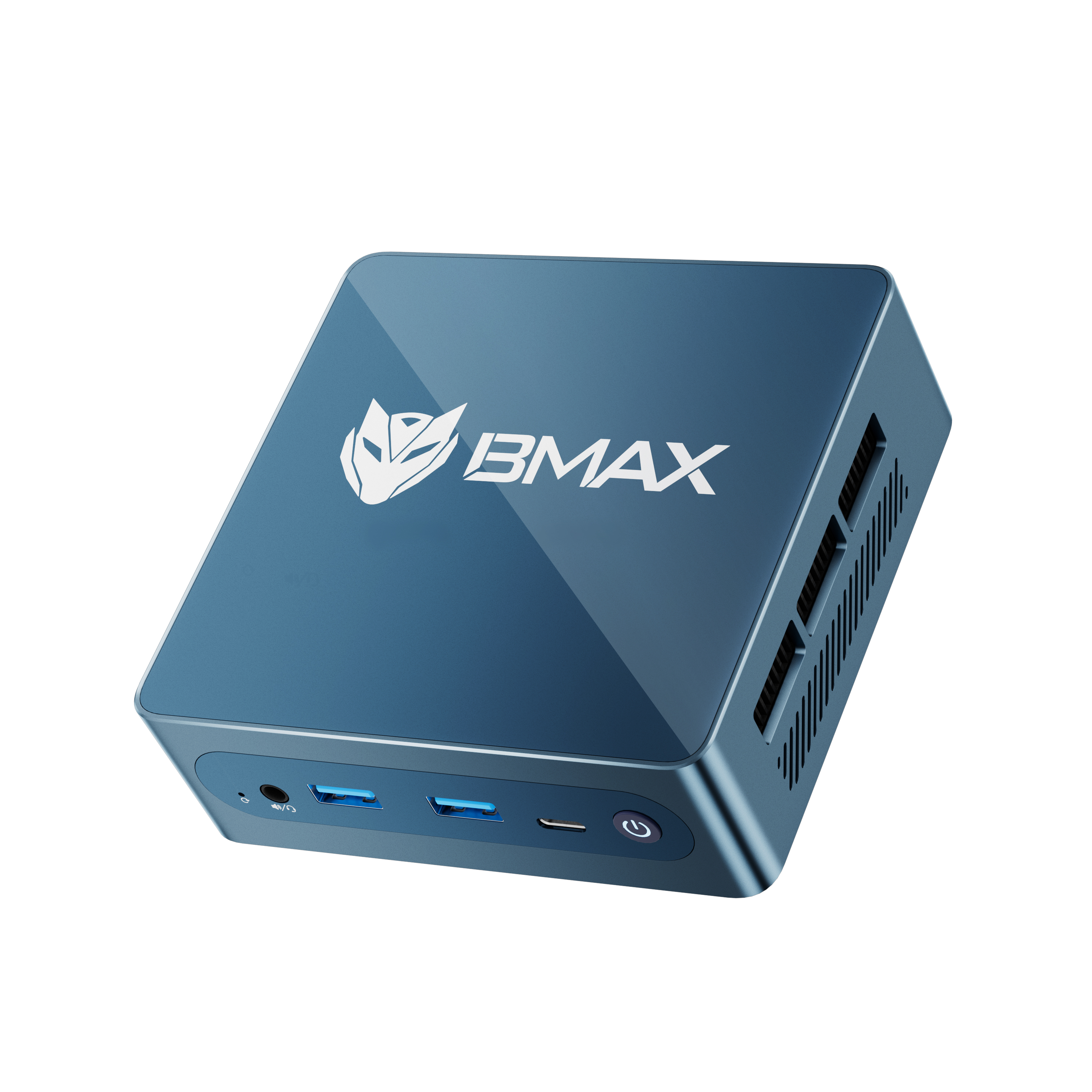
Hardware specifications mean little without practical, real-world context. We need to translate raw numbers into actual workflow outcomes. The MaxMini B4 Plus handles standard business multitasking exceptionally well. You can seamlessly manage thirty active browser tabs simultaneously. It easily supports active video conferencing while processing large spreadsheets. You will not experience severe input lag during complex administrative tasks. The internal processor manages routine enterprise workloads without breaking a sweat.
Storage speed heavily dictates how fast you can set up. The included NVMe SSD configuration ensures swift system responsiveness. Travel setup absolutely requires rapid boot sequences. You can plug the device into a hotel television. You will reach your desktop interface in seconds. Local data retrieval remains incredibly snappy. You rarely wait for large PDF files or business presentations to load.
We must honestly address the physical realities of compact hardware. Physics dictates tiny computer boxes generate concentrated heat. Do not expect silent operation under maximum stress. The fan will spin up if you run heavy data macros. It produces a noticeable, steady hum. Thermal throttling can occasionally occur during extended peak loads. The system deliberately limits performance to protect internal components. You must manage your expectations regarding sustained, extreme computing workloads.
Hardware Spec Component | Expected Real-World Outcome | Practical Limitation |
|---|---|---|
Multi-Core CPU Architecture | Smooth multitasking across multiple office applications | Struggles heavily with complex 3D rendering tasks |
High-Speed System RAM | Handles heavy web workflows and large datasets smoothly | Not suited for intensive, multi-OS virtualization platforms |
NVMe SSD Storage Drive | Rapid boot times and instant file loading speeds | Local capacity limits require some reliance on cloud storage |
Compact Thermal Solution | Maintains safe temperatures during average administrative work | Generates noticeable fan noise during sustained heavy processing |
A portable compute core lives or dies by its ports. We conducted a critical audit of the available I/O interfaces. The chassis includes a highly sensible mix of ports. You get adequate USB-A and modern USB-C connections. It also offers dedicated HDMI and DisplayPort interfaces natively. This robust configuration easily supports a true dual-monitor setup. You do not need to rely on unreliable, fragile dongles. You can connect two external displays directly to the box. This drastically improves dual-screen reliability for remote workers.
Power delivery logistics matter immensely for frequent travelers. A mini desktop loses its travel appeal entirely if the power supply is massive. Fortunately, the required power brick remains relatively compact. It slips easily into a small backpack compartment. It does not outweigh the main compute unit itself. You carry a lightweight package overall.
Home office integration represents another major strong point. The device includes a standard VESA mount bracket in the box. This addition allows for a clean, zero-footprint desk setup.
Here are the standard steps for a seamless VESA deployment:
Locate the four standard VESA mounting holes on the back of your primary monitor.
Attach the included metal mounting bracket securely using the provided hardware screws.
Slide the mini PC chassis directly into the bracket until it clicks firmly into place.
Route the power and display cables neatly along the monitor arm to hide them from view.
Mounting it behind the primary monitor completely clears your desk. You immediately gain back valuable, uncluttered workspace.
You need to know exactly what to expect right out of the box. The initial configuration involves standard operating system setup steps. You should plan for a few initial driver updates before active deployment. We strongly recommend checking the system for unnecessary bloatware. Removing unwanted trial software ensures peak system responsiveness. You should complete this housekeeping before your first major business trip. It guarantees a smooth, frustration-free travel experience.
Buyers must clearly understand the expected lifespan of their investment. System scalability and hardware upgrades depend entirely on internal architecture.
Consider these critical upgrade realities before purchasing:
Memory Configuration: The B4 Plus utilizes an onboard memory architecture rather than slotted SO-DIMM modules, meaning the capacity cannot be upgraded post-purchase. However, this onboard layout delivers higher bandwidth and lower latency than traditional DDR memory. When paired with the integrated graphics, it significantly accelerates graphical throughput for smooth 4K playback and light gaming. Additionally, it reduces memory power consumption by 20% to 30%, minimizing thermal stress within the compact chassis to ensure stable, long-term performance—a distinct advantage for mobile professionals.
Storage Scalability: The primary NVMe SSD slot remains easily accessible. You can clone your primary drive. Then, you install a larger storage module when local space gets tight.
Wireless Connectivity Cards: Internal Wi-Fi and Bluetooth modules are frequently replaceable. Upgrading these network cards extends the connectivity lifespan of the entire machine.
Peripheral dependency presents a highly critical risk factor. You assume you will always have access to HDMI-capable displays at your destination. You also need a functional keyboard and mouse waiting for you. You simply cannot work if a hotel room lacks a modern television or monitor. You must plan your travel destinations and accommodations carefully. Always verify your secondary location possesses the right infrastructure before arriving.
Deciding on a new compute core requires brutal honesty about your daily workflow. Remote workers and digital nomads with fixed basecamps benefit greatly. Businesses outfitting standardized, space-constrained office workstations will also find immense value here. The MaxMini B4 Plus fits perfectly into these specific deployment scenarios. You secure robust desktop performance without the massive tower footprint. It centralizes your critical data in one portable location.
However, this specific form factor is not for everyone. Field workers needing off-grid screen access should pass entirely. If you frequently work from coffee shops or tiny airplane trays, you need a traditional laptop. Creative professionals requiring dedicated graphics processors must also look elsewhere. This device simply lacks the graphical horsepower for intense video editing or complex 3D modeling. Know your limits before committing.
When assessing the overall cost-to-value ratio, look closely at hardware efficiency. You avoid paying the hefty premium for miniaturized laptop screens and thin batteries. Your initial hardware investment directly funds processing power and connectivity. You secure excellent desktop-level connectivity for a fraction of the price of a high-end business laptop. You simply repurpose the monitors and peripherals you already own. This makes the overall value proposition incredibly strong. It serves dual-location workers looking to maximize their tech budget perfectly.
The MaxMini B4 Plus emerges as a highly pragmatic, modular solution. It serves a specific, highly efficient user profile perfectly. It strips away unnecessary bulk while maintaining excellent daily connectivity. You gain substantial desk space at home while retaining power on the road.
It provides robust administrative processing power packed inside an ultra-compact chassis.
The VESA mounting option effectively creates a clean, zero-footprint workspace.
Relying completely on external peripherals requires proactive travel planning and auditing.
Before you finalize your purchase, audit your regular travel destinations carefully. Confirm they offer easily accessible HDMI monitors and adequate desk space. Review your specific software requirements closely. Ensure the chosen memory and storage variants meet your peak workload demands. Proper planning guarantees this compact machine will transform your hybrid workflow entirely.
A: Yes, it can comfortably drive dual monitors. You utilize the built-in HDMI and DisplayPort connections. However, 4K performance depends heavily on your required refresh rate. Standard 4K output at 60Hz is achievable for general office applications and web browsing. You might experience minor visual lag if you attempt heavy video playback across both high-resolution screens simultaneously. It handles standard dual 1080p or 1440p setups flawlessly.
A: It features an internal Wi-Fi module supporting modern wireless standards. You connect exactly as you would with a standard business laptop. A captive portal page will load automatically in your web browser for standard hotel logins. Furthermore, it includes a dedicated gigabit Ethernet port. This wired option serves as a highly reliable fallback for unstable wireless environments.
A: This depends entirely on the specific power delivery capabilities of your monitor. Most standard office monitors do not output sufficient wattage through their USB-C ports. You will likely need to use the included dedicated power brick to ensure stable operation. This is especially true when the internal processor ramps up under heavy administrative workloads.
A: The chassis is deliberately designed for basic user accessibility. You typically remove four small screws from the bottom plate to open the unit safely. Inside, you will immediately locate the primary NVMe SSD slot. You can physically swap the existing drive for a higher-capacity storage module. Always remember to back up your data or clone your operating system beforehand.
A: Yes. The internal hardware includes the required firmware-based TPM security module. This embedded security chip enables full compatibility with modern enterprise-grade operating systems. It fully supports Windows 11 Pro installations. This allows IT departments and businesses to implement BitLocker hardware encryption easily. You can securely connect the machine to corporate domain networks without compliance issues.