Views: 0 Author: Site Editor Publish Time: 2026-04-04 Origin: Site
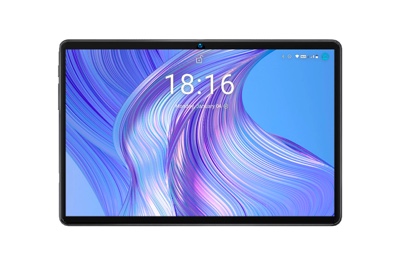
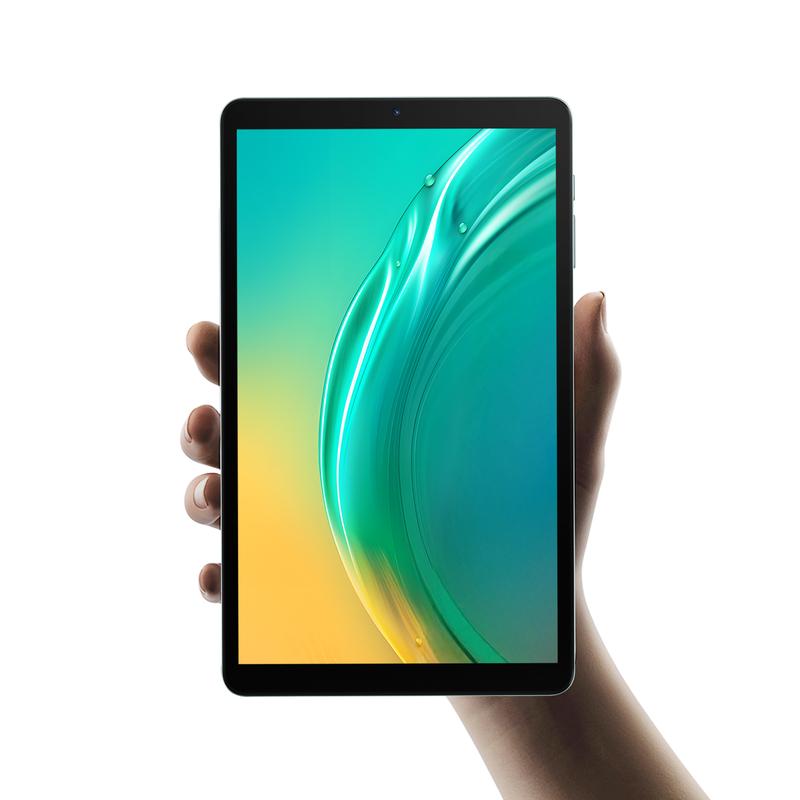
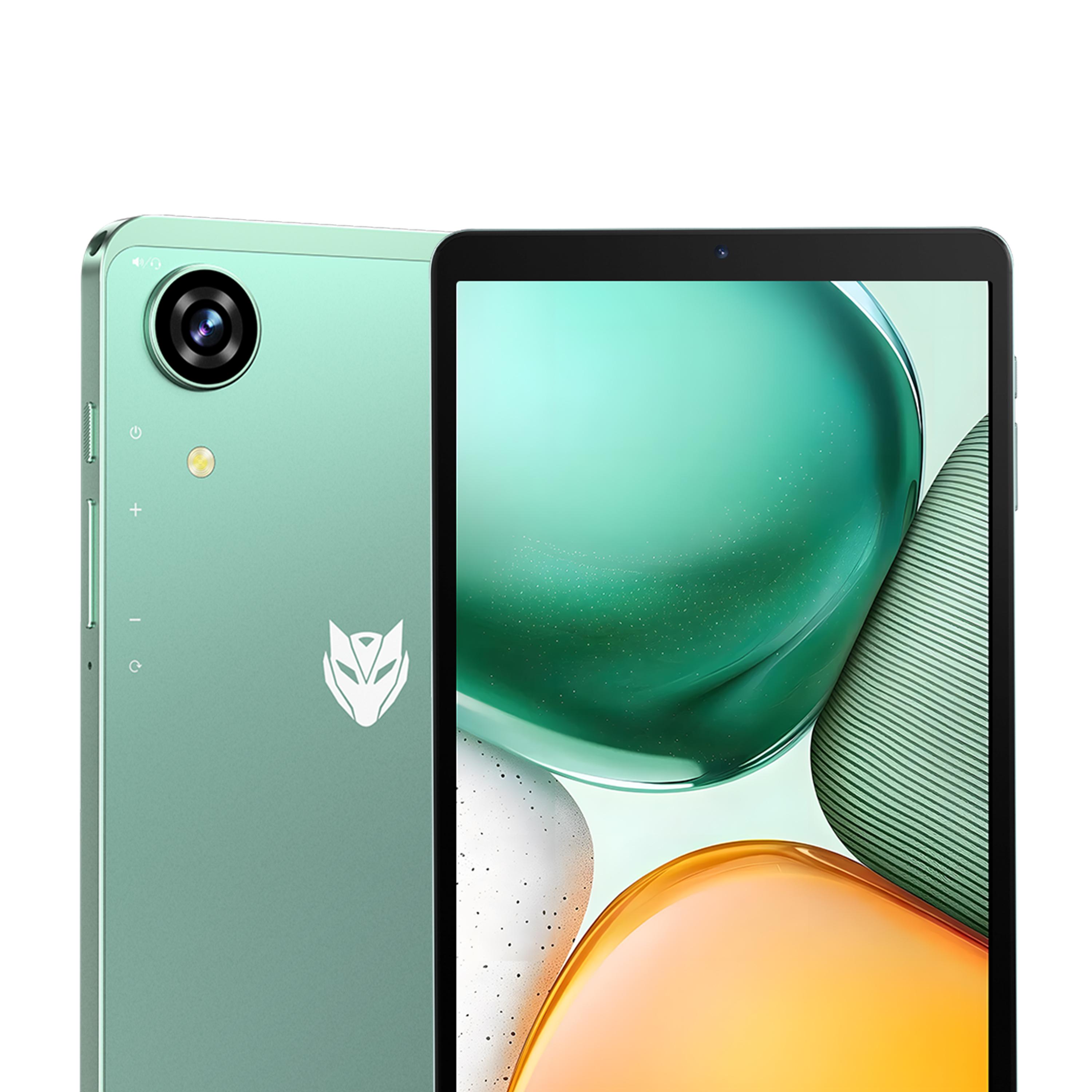
You want a device that keeps up with your fast-paced life. The maxpad i8 plus does just that. This tablet feels light in your hands and slips easily into your bag. With a powerful processor and plenty of memory, you can switch between apps without lag. The vibrant display makes everything look sharp, while the long-lasting battery means you stay connected all day. The bmax maxpad i8 plus also stands out with its stylish design, so you never have to choose between function and fashion.
You want your tablet to keep up with your busy day. The maxpad i8 plus gives you that edge. The UNISOC T7250 processor sits at the heart of this device. It uses two A75 cores for tough tasks and six A55 cores for everyday jobs. This mix means you get fast performance without draining your battery. The Mali G57 GPU brings smooth graphics, so games and videos look sharp. You can open apps quickly and switch between them with no lag. The i8 makes sure you never have to wait for your device to catch up.
Do you like to run many apps at once? The maxpad i8 plus handles multitasking with ease. You get 4GB of RAM, and the tablet adds up to 20GB of virtual memory. This means you can use split-screen multitasking to work on two things at once. Maybe you want to watch a video while taking notes or chat with friends while browsing the web. The 128GB of storage gives you space for all your files, photos, and apps. If you need more, just pop in a Micro SD card for up to 1TB of extra room. This tablet as a computer feels real when you use it for work or play. You get a desktop-like experience right in your hands.
You do not want to worry about charging all the time. The maxpad i8 plus comes with a 6000mAh battery. You get up to 8.5 hours of video playback or 90 hours of music. That is real battery life you can count on. The tablet weighs only 355 grams and is just 8.4mm thick. You can slip it into your bag or hold it for hours without feeling tired. The slim bezels give you more screen and less bulk. This makes the tablet perfect for travel, school, or work. You can use it anywhere and stay productive all day.
Tip: Pair your maxpad with keyboards or a stylus to boost your enhanced productivity even more.
Staying connected matters. The maxpad i8 plus supports dual-band Wi-Fi, so you get fast internet at home or in public places. Bluetooth 5.2 lets you connect to headphones, speakers, or keyboards with ease. If you need to work on the go, the tablet supports 4G LTE. You can make VoLTE HD calls for clear voice chats. The bmax maxpad also has GPS, so you never get lost. This level of connectivity means you can join meetings, send emails, or stream videos from almost anywhere. The app ecosystem on Android 16 gives you access to tools for work, study, and fun. You get functionality that fits your lifestyle, transforming a tablet into your main device for productivity.
You can turn your tablet into a mobile office. Open your calendar to check meetings, then jump into a video call with just a tap. The maxpad i8 plus runs Android 16, so you get smart notifications that help you stay on track. You can use project management apps to organize tasks and set reminders. Need to share files? Send them by email or upload them to the cloud. The tablet keeps your work life moving, even when you are away from your desk.
Schoolwork feels easier with the right tools. You can read e-books, take notes, and search the web all on one device. The split-screen feature lets you watch a lesson video while writing down key points. If you need more space for your study materials, just add a micro SD card. The tablet gives you plenty of room for documents, photos, and videos. You can also use the camera to scan homework or record lectures. Learning becomes more fun and less stressful.
Staying organized helps you get more done. Use the tablet to set alarms, make to-do lists, and track your habits. The notification management in Android 16 keeps you updated without distractions. You can download any app you need for planning your day or managing your budget. The tablet’s functionality fits your busy lifestyle. With everything in one place, you save time and feel more in control.
Tip: Try color-coding your calendar or using voice memos to remember important tasks. Small changes can boost your productivity every day.
You want a tablet that is simple to use right away. The MaxPad I8 Plus uses Android 16, so the interface looks clean and works smoothly. You can swipe to switch apps, set up your home screen, and find things quickly. The notification system helps you see messages and reminders without stress. You get smart ideas and quick replies because of the built-in AI. This makes your daily tasks easier and more fun.
Tip: Try gesture controls to move around your tablet even faster.
You can make the MaxPad I8 Plus fit your style. Change the wallpaper, pick a bigger font, or add widgets for your favorite apps. The tablet has accessibility tools like screen magnification and voice commands, so everyone can use it easily. Privacy is important. Android System Intelligence hides private notifications, controls permissions, and uses biometrics to protect your data. The AI works like a helper. It gives you smart replies, helpful tips, and knows what you need in different apps.
Here’s a quick look at how these features help you every day:
Feature | What It Does | How It Helps You |
|---|---|---|
AI Optimization | Smart replies, proactive tips, cross-app understanding | Makes tasks faster and easier |
Privacy Protection | Hides sensitive info, manages permissions, uses biometrics | Keeps your data safe and private |
You can take pictures with the 13MP rear camera or join video calls with the 5MP front camera. Photos look sharp, and video calls feel real. The dual speakers have a special design for 3D surround sound. Music, movies, and games sound clear and strong. If you like to travel, the MaxPad I8 Plus has GPS that works with many systems. You always know where you are, so you do not get lost.
Note: The MaxPad I8 Plus mixes smart software and strong hardware to make each day smoother and more fun.
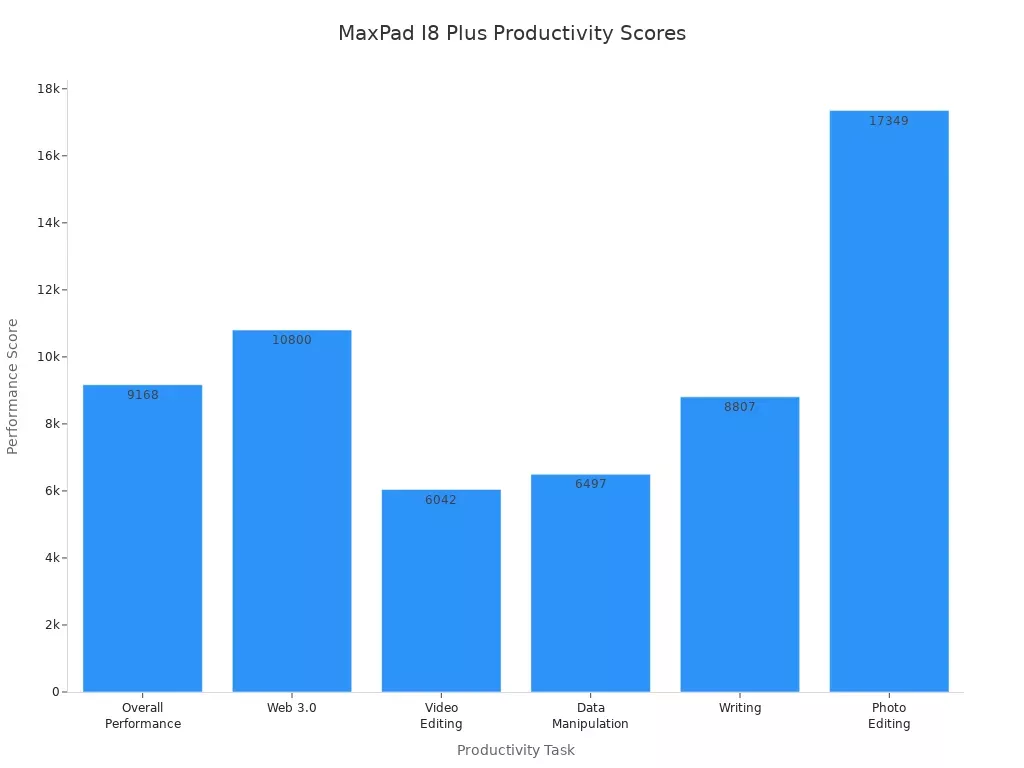
You want a device that works fast and helps you get things done. The MaxPad I8 Plus stands out when you compare it to other tablets. You can see how it performs in different tasks in the table below:
Task | Score |
|---|---|
Overall Performance | 9168 |
Web 3.0 | 10800 |
Video Editing | 6042 |
Data Manipulation | 6497 |
Writing | 8807 |
Photo Editing | 17349 |
You get high scores in writing, web browsing, and photo editing. This means you can write reports, edit photos, or surf the web without slowdowns. The MaxPad I8 Plus gives you a smooth experience, even when you use many apps at once.
You get more than just speed and power. The MaxPad I8 Plus has a slim design and weighs only 355 grams. You can hold it for a long time without feeling tired. The 6000mAh battery keeps you going, whether you are working, studying, or relaxing. You can expand the storage up to 1TB, so you never run out of space for your files. The tablet supports 4G LTE, Wi-Fi, and Bluetooth, so you stay connected everywhere. You get a device that fits your busy life and helps you do more every day.
Tip: Try using your tablet with a wireless mouse and keyboards for even more ways to work and play.
You want to get the most out of your tablet. The right app can help you do that. Start with a note-taking app for quick ideas or class notes. Try a calendar app to keep track of meetings and homework. Use a cloud storage app to save your files and photos. The app ecosystem on your MaxPad I8 Plus gives you many choices. You can find tools for drawing, reading, or even learning a new language. Explore the Play Store and pick what fits your needs.
Tip: Download a focus timer app. It helps you stay on task and take breaks at the right time.
You can boost your tablet experience with a few smart accessories. A Bluetooth keyboard makes typing emails or reports much faster. A wireless mouse helps you move around your screen with ease. Try a stylus for drawing or writing by hand. A sturdy case protects your tablet when you travel. You can also use a portable stand to set your tablet at the perfect angle for video calls or watching lessons.
Here’s a quick list to check:
Bluetooth keyboard
Wireless mouse
Stylus
Protective case
Portable stand
You can stay organized with simple habits. Create folders for your files and photos. Set up your home screen with your most-used apps. Use color-coded calendars for school, work, and personal events. Turn on notifications for important reminders. Clean up your tablet once a week by deleting old files and unused apps. These small steps help you find things faster and keep your tablet running smoothly.
Note: A little organization each day saves you time and stress later.
You want a tablet that keeps up with your busy schedule. The MaxPad I8 Plus gives you bright screens, smooth speed, and a battery that lasts a long time. Here’s why people choose it every day:
Feature | Why It’s Important |
|---|---|
Brightness | Clear screen even in sunlight |
Refresh Rate | Makes scrolling and videos smooth |
Processor | Fast and saves energy |
Memory | Lets you run many apps without slowing down |
Storage | Holds all your files easily |
Battery Life | Keeps working all day long |
You can work, learn, or relax anywhere. Boost your productivity with MaxPad and make each day easier.
You get up to 8.5 hours of video playback or 90 hours of music. The battery keeps you going through work, school, or travel. No need to worry about charging all the time.
Yes! You can add a Micro SD card for up to 1TB of extra space. Store more photos, videos, and apps without deleting your favorites.
The I8 Plus comes in two versions: a Wi-Fi version and a 4G LTE version. You can choose a 4G LTE version for fast internet on the go. Stay connected, join video calls, or stream videos almost anywhere.
Here’s a quick list for you:
Accessory | Why You’ll Love It |
|---|---|
Bluetooth Keyboard | Easy typing |
Stylus | Great for notes and drawing |
Protective Case | Keeps your tablet safe |
Tip: Try a portable stand for comfy video calls or movie nights!