Views: 0 Author: Site Editor Publish Time: 2026-10-08 Origin: Site
As "AI PC" becomes a buzzword in the industry, more and more computer products on the market are labeled with AI, and prices are rising accordingly. However, many consumers discover post-purchase that the so-called "AI features" are merely pre-installed online AI applications that cease to function without an internet connection, offering no fundamental difference from a standard PC. In reality, an AI PC is not simply a computer with added software; it represents a comprehensive overhaul of hardware architecture. To avoid marketing hype and purchase a machine truly capable of running local AI, you don't need to get distracted by flashy sales pitches—focusing on these few core specifications is enough.
The first step in determining whether a computer is a genuine AI PC is checking for a dedicated NPU (Neural Processing Unit).
While CPUs handle general-purpose computing and GPUs manage graphics rendering, the NPU is a chip specifically designed for AI operations. It excels at parallel computing tasks—such as large model inference, image generation, and speech recognition—delivering efficiency dozens of times higher than a CPU while consuming significantly less power. In products lacking a dedicated NPU, so-called "AI features" are essentially simulated via CPU software; this approach is not only slow and power-hungry but also consumes system resources needed for standard office tasks.
The key metric for measuring NPU performance is computing power, expressed in TOPS (Trillions of Operations Per Second); the higher the value, the greater the local AI processing capability. Mainstream AI PCs typically feature NPUs with over 10 TOPS of performance, as this threshold is essential for smoothly running tasks like local Large Language Models (LLMs) and text-to-image generation.
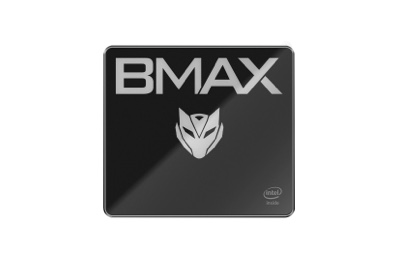
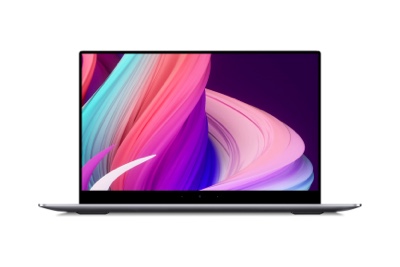
Take the BMAX MaxBook X17 Turbo and MaxMini B12 Power as examples: both are equipped with the Intel AI Boost NPU, delivering 11 TOPS of performance to meet various local AI inference needs. They offer a fourfold increase in local text-to-image generation speed, a 38% reduction in power consumption for AI-enhanced video conferencing features, and the ability to run large models with 7 billion to 13 billion parameters offline—this is the kind of hardware foundation a true AI PC requires.
Many people mistakenly believe that AI PCs rely solely on the NPU; this is a common misconception. A true local AI experience results from the synergy of three chips: the CPU, GPU, and NPU. The NPU handles lightweight AI inference, the CPU manages logic and scheduling, and the GPU accelerates graphics-related AI tasks—all three are indispensable. The CPU's architecture and performance directly determine the overall scheduling efficiency of AI tasks and the ability to handle complex scenarios.
Focus on three key dimensions when making a purchase:
1. Manufacturing Process: A more advanced process offers better power efficiency and greater stability during high-load AI operations;
2. Core and Thread Count: These determine multitasking capabilities, ensuring smooth performance when running other software alongside AI-powered office applications;
3. Native NPU Integration: Processors with native NPU integration offer superior tri-chip synergy and optimization compared to add-on solutions.
BMAX’s two AI PC models feature Intel’s 14th Gen Core Ultra 5 115U and Ultra 9 185H processors. Both are built using the advanced Intel 4 process node. The Ultra 5 115U features an 8-core, 10-thread architecture with a 4.2GHz turbo frequency, while the Ultra 9 185H boasts a 16-core, 22-thread architecture with a 5.1GHz turbo frequency. PassMark benchmark data shows scores of 11,689 and 29,018 respectively, representing significant performance gains over the previous generation. As processors specifically designed for AI PCs, both feature native NPU integration and AI-capable integrated graphics. Through deep optimization and tri-chip synergy, they ensure efficient scheduling and peak performance for tasks ranging from AI writing and image generation to video editing.
Running large AI models locally consumes far more memory than standard office tasks. Large models must be fully loaded into memory to run; insufficient capacity prevents them from operating entirely, while inadequate memory bandwidth leads to slow AI generation speeds and stuttering when switching between tasks. When purchasing memory, keep two key points in mind:
Start with 16GB capacity: This is the entry-level requirement for running local Large Language Models (LLMs); anything less than 8GB makes local AI practically unfeasible. ·
Prioritize LPDDR5 memory: Compared to traditional DDR4, LPDDR5 offers higher bandwidth and lower power consumption, resulting in significantly faster AI data throughput.
BMAX’s entire AI PC lineup comes standard with 16——24GB of high-frequency LPDDR5 memory. Compared to DDR4, read speeds are 39.6% faster and write speeds are 34.2% faster. This ample capacity and bandwidth ensure smooth local LLM operation while allowing you to simultaneously run documents, web browsers, and design software—enabling seamless multitasking without lag.
Nowadays, AI model files, high-definition materials, and project files are getting larger and larger. Storage speed and capacity directly affect the loading speed of AI models and the efficiency of material retrieval. Many budget-friendly "AI PCs" cut corners on storage by using outdated SATA SSDs. While the capacity might look similar on paper, actual read/write speeds are more than five times slower, leading to long wait times when opening large models or importing assets.
Key criteria for choosing storage:
・Prioritize NVMe SSDs: Sequential read/write speeds are 5–6 times faster than SATA SSDs, drastically reducing model loading times.
・Start with 512GB: Ensure there is enough space for the operating system, software, and AI models. ·
・Consider expandability: Look for extra drive bays or slots to allow for flexible future upgrades.
These two models of BMAX feature a 512GB——1TB NVMe SSD, offering read speeds 661.9% faster and write speeds over 500% faster than SATA 3.0 SSDs, enabling near-instant loading of large models and assets. Notably, the MaxMini B12 Power is equipped with both an M.2 NVMe slot and a 2.5-inch drive bay. This thoughtful dual-slot design easily accommodates massive asset libraries and model files, eliminating the need for frequent external drive connections.
This is a critical specification that most users overlook, yet it directly impacts the AI experience. AI computing involves high-load scenarios that continuously generate significant heat; if the thermal management system cannot keep up, the processor will automatically throttle its speed. This prevents the NPU from delivering its full computing power, leading to a scenario where performance starts off fast but slows down with continued use.
To keep their size compact, many thin-and-light products compromise on thermal specifications. While they may achieve impressive benchmark scores in short bursts, sustained AI tasks cause severe thermal throttling. When purchasing, it is essential to pay close attention to the specifications of the heat pipes and fans, as well as the design of the airflow channels.
In this regard, both of BMAX's products perform exceptionally well: ·
The MaxMini B12 Power utilizes BMAX’s proprietary "Space Capsule" thermal system. It features a high-performance cooling combination of dual copper heat pipes and a massive, intelligent turbo fan, complemented by an efficient circulation design that includes top-cover air intake and dense ventilation vents. Compared to standard cooling solutions, it offers significantly improved thermal efficiency, resulting in a performance boost of at least 15%–25%. It maintains stable output without throttling, even during prolonged AI tasks. ·
The MaxBook X17 Turbo is equipped with a high-efficiency copper heat pipe cooler and an intelligent, quiet fan. It achieves excellent thermal performance within a slim 19mm chassis, remaining cool and quiet even during high-load operation.
Finally, here's a quick way to determine if an AI PC is genuine. Avoid these situations if you encounter any of the following:
1.Only mentions "AI intelligence" without mentioning the NPU or specific computing power figures: It's likely just a pre-installed online AI software; it's essentially a regular computer.
2.Uses an older CPU with "AI optimization" as a gimmick: No native integrated NPU; it relies on software to simulate AI, resulting in a poor user experience and high power consumption.
3.8GB RAM + SATA SSD: Insufficient hardware foundation; it can't run large local models. 4. Completely ignores thermal design: It will inevitably throttle under high load; its AI performance is just on paper.
4.Completely ignores thermal design: It will inevitably throttle under high load; its AI performance is just on paper.
An AI PC is not merely a marketing gimmick; it represents a comprehensive hardware upgrade spanning the processor, memory, storage, and thermal systems. Its core value lies in shifting AI computing power from the cloud to the local device, delivering faster response times, enhanced privacy, and lower long-term operating costs.
If you need a mobile office solution, the MaxBook X17 Turbo is an ideal choice that balances portability, a large screen, and AI computing power. If you work at a fixed desk and prioritize space efficiency and expandability, the MaxMini B12 Power mini-PC serves as a powerful desktop AI workstation.
In short, only by identifying the core parameters and avoiding conceptual pitfalls can you truly enjoy the efficiency improvements brought by local AI.