Views: 0 Author: Site Editor Publish Time: 2026-04-22 Origin: Site
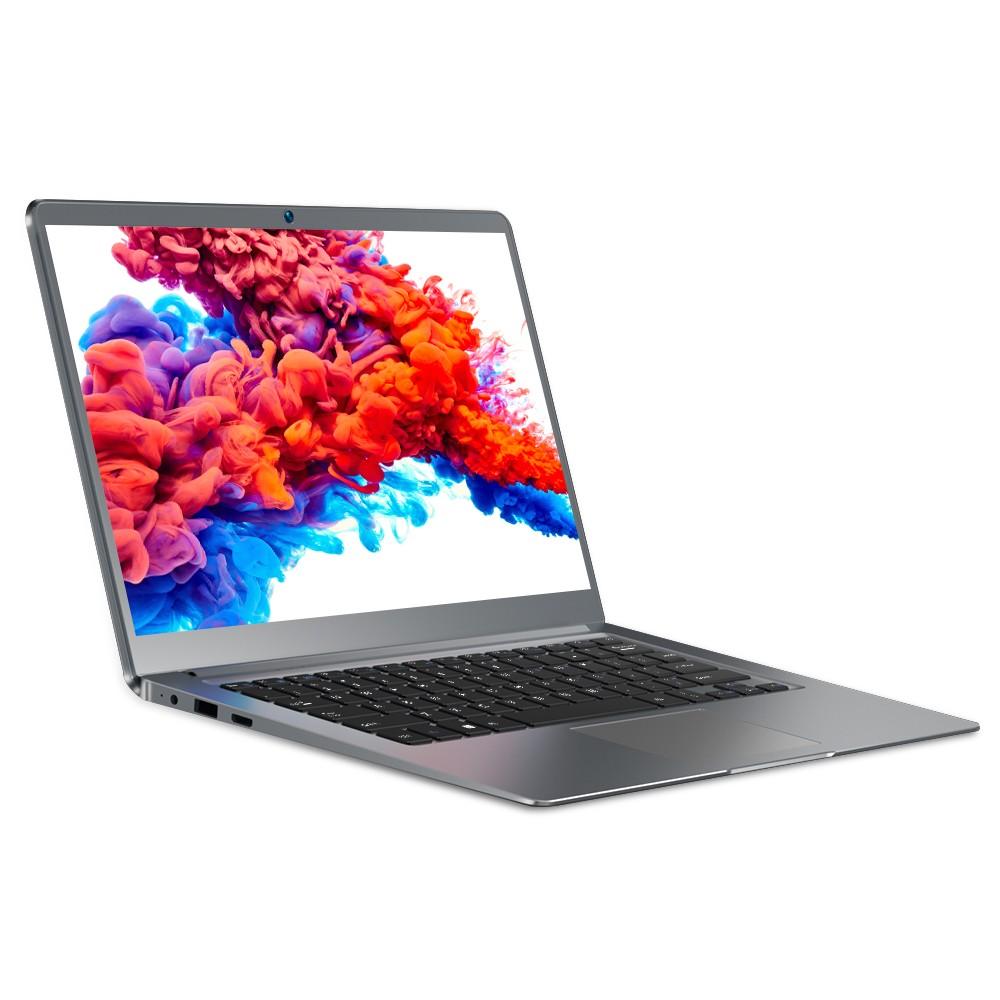
Imagine grabbing the maxbook s14 and heading out for class or work. You feel the ultrabook’s light weight in your bag, just 1.2kg, so you move easily. The sleek design catches your eye, and you notice the quality finish. You open the maxbook s14 and see a bright Full HD screen. The ultrabook lets you stream, study, or create with sharp visuals. You rely on the battery to last all day, and the quality never disappoints. Many users want laptops that deliver style, portability, and performance, but satisfaction scores remain low. The maxbook s14 changes that. You get an ultrabook that offers quality in every moment. Whether you’re a student or a professional, the maxbook s14 makes your day smoother and more enjoyable.
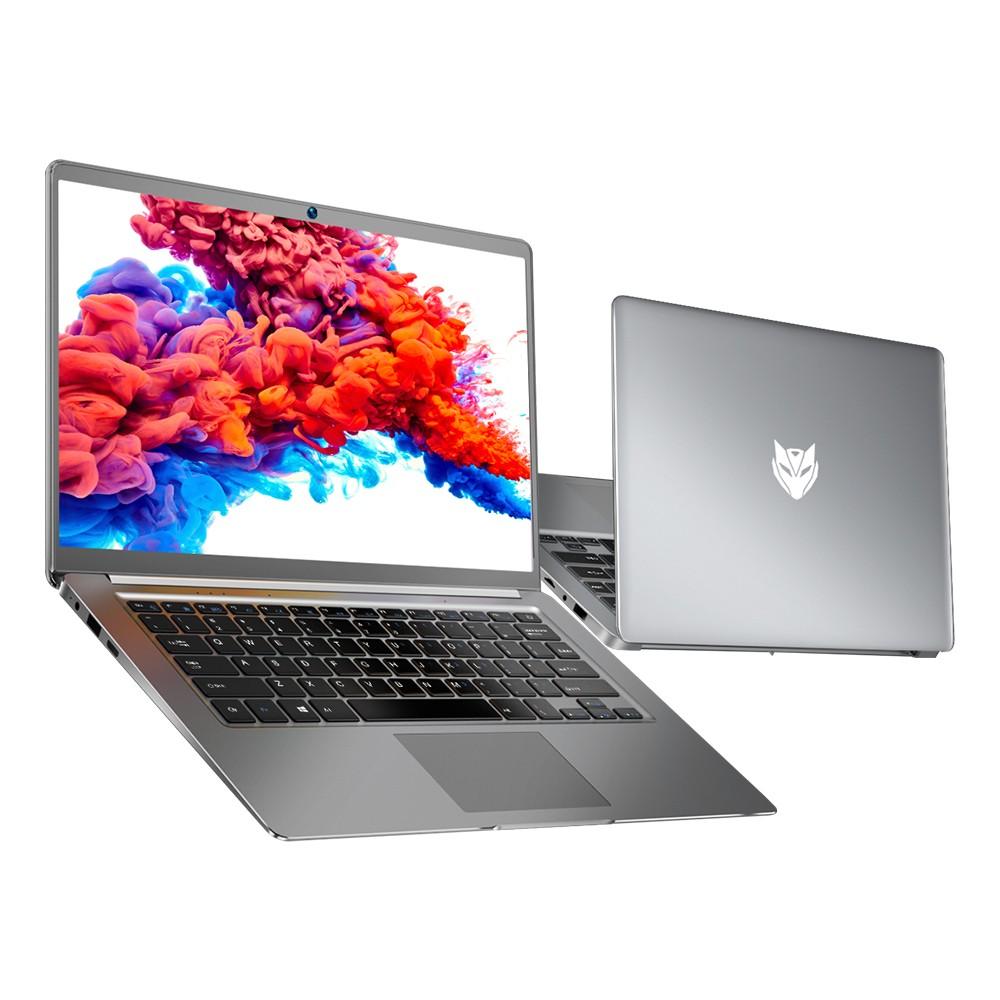
You pick up the MaxBook S14 and notice how light it feels. The lightweight design means you can carry it all day without feeling tired. At just 1.2kg, this premium ultrabook fits easily in your backpack or tote. You don’t have to worry about extra weight slowing you down. The build quality stands out. You see a strong case that protects your laptop from bumps and scratches. The build gives you confidence every time you grab your device. Students and professionals love this kind of build because it makes life easier.
Tip: If you move between classes or meetings, a lightweight laptop saves your energy and keeps your bag comfortable.
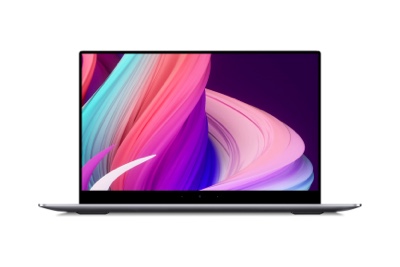
The MaxBook S14 shows off a slim design that looks modern and stylish. You notice the smooth lines and the sleek finish. The design helps you feel proud when you use it in public. You slide the laptop into your bag, and it fits without trouble. The slim build makes it simple to store and carry. You don’t waste time looking for space. Portability becomes a real advantage. You can take your laptop anywhere—library, café, or office. The build quality means you don’t worry about damage. The design makes your day smoother and more flexible.
You enjoy a laptop that matches your busy routine.
You get a device that looks good and feels strong.
You move from place to place with ease.
The MaxBook S14 combines smart design, solid build, and true portability. You experience a laptop that fits your life and style.
You need a laptop that works fast all day. The MaxBook S14 uses an Intel Celeron processor. This processor helps you finish your tasks quickly. You can open apps and browse the web with no lag. You can also work on creative projects easily. The fanless design keeps the laptop quiet. You do not hear loud sounds when you work. The fanless design also helps the laptop stay cool. You get good performance and save energy. This makes your laptop last longer. You have enough power for daily work and creative ideas.
Note: The fanless design keeps your area quiet. You can focus on creative work or schoolwork without noise.
You want your laptop to be fast and efficient. The MaxBook S14 has 8GB RAM and a 256GB SSD. You can store files, photos, and projects with lots of space. The SSD lets you open your data very quickly. You do not wait long for files to load. You can switch between tasks fast. The fanless design keeps your laptop cool when you work hard. You get speed that helps you finish creative work fast.
8GB RAM lets you use many apps at once.
SSD storage helps you save and open files fast.
Fanless design gives you quiet, efficient use.
You want to do many things at once without slowing down. The MaxBook S14 lets you switch between apps, web, and schoolwork easily. The processor and RAM work together for smooth performance. You can edit photos, write essays, and watch videos at the same time. The fanless design keeps your laptop quiet and cool. You can do creative work without being interrupted. You get efficiency that helps your day go better.
Feature | Benefit |
|---|---|
Intel Celeron | Reliable performance |
8GB RAM | Smooth multitasking |
SSD Storage | Fast file access |
Fanless Design | Quiet, cool efficiency |
You get performance that fits your creative needs. The MaxBook S14 helps you stay productive and creative every day.
You open your MaxBook S14 and see a bright, clear screen. The 14-inch Full HD IPS display gives you sharp visuals. You notice every detail when you watch videos or work on projects. The display quality stands out, making colors pop and text easy to read. You can enjoy your favorite shows or games with rich clarity. If you want to compare, some laptops use an oled display or oled touchscreen for even deeper colors. The MaxBook S14’s screen brings you a great experience, whether you’re streaming, studying, or creating. You don’t need to worry about glare or dull colors. The screen stays bright and lively all day.
You spend hours typing and moving your cursor. The MaxBook S14’s keyboard feels comfortable under your fingers. The keys have a nice bounce, so you type faster and make fewer mistakes. The touchpad is large and smooth, letting you scroll and click with ease. You don’t feel cramped or tired after long sessions. Some laptops, like the MacBook Air, use the Magic Keyboard with precise switches. Others, like the Zenbook, have a mechanical touchpad that feels okay but can be too big. You get a balanced design with the MaxBook S14. The palm rest gives you space, and the touchpad works well for all your tasks. You can use the touchscreen to swipe, tap, and zoom. The oled touchscreen on other models may offer extra features, but you get reliable comfort here.
The MacBook Air’s Force Touch haptic touchpad is perfectly sized and works great, with the Force Click function that adds additional features with a firmer 'click.' The Zenbook’s mechanical touchpad feels Ok, but it’s almost too large, leaving a very small palm rest.
You listen to music or watch movies, and the Magic Audio System makes everything sound better. The stereo speakers are tuned for clear sound and strong bass. You hear every note and word, even in a noisy room. The audio system helps you enjoy your media, whether you’re relaxing or working. You can connect headphones or speakers for more options. The MaxBook S14 supports wireless connections, so you can use Bluetooth devices easily. If you use a touchscreen or oled touchscreen for games or videos, the sound keeps up with the action. You get a full experience with visuals and audio working together.
Feature | What You Get |
|---|---|
Full HD IPS Screen | Sharp, clear visuals |
Keyboard & Touchpad | Comfortable typing and easy navigation |
Magic Audio System | Enhanced sound for music and movies |
You enjoy every moment with the MaxBook S14. The display, comfort features, and audio system make your day smoother and more fun.
You want a laptop that keeps up with your busy day. The MaxBook S14 gives you battery life that lasts. You can work, study, or stream for hours without searching for an outlet. The 38Wh battery supports long battery life, so you stay focused on your tasks. You might start your morning with emails, move to class, and then relax with a movie. The battery life keeps you going from start to finish. You don’t have to worry about your laptop dying in the middle of a project. You get peace of mind knowing your device will last through meetings, lessons, and even long trips. If you need to move around a lot, battery life matters even more. The MaxBook S14 helps you stay productive and entertained all day.
Tip: Charge your laptop overnight, and you’ll enjoy reliable battery life for the whole day.
You need a laptop that connects to everything. The MaxBook S14 offers a comprehensive port selection that makes your life easier. You can plug in your mouse, keyboard, or external drive without using extra adapters. The port selection includes USB 3.0, USB 2.0, Mini HDMI, and a 3.5mm headset jack. This comprehensive port selection means you can connect to projectors, monitors, and headphones with no trouble.
Here’s how the MaxBook S14 compares to other laptops:
Laptop Model | Ports Available |
|---|---|
MaxBook S14 | USB 3.0, USB 2.0, Mini HDMI, 3.5mm headset jack |
Asus Vivobook S14 OLED | 2 Thunderbolt 4 USB-C, 1 HDMI 2.1, 1 MicroSD card slot, 1 3.5mm headphone jack, 2 USB 3.2 Gen 1 Type-A |
Typical MacBook Pro | Similar ports but with one fewer port than the Mac, adding a USB-A port instead |
You get a port selection that covers your needs. The comprehensive port selection lets you connect to many devices at once. You don’t have to choose between charging your phone or using a mouse.
Wireless connections matter, too. The MaxBook S14 supports fast WiFi and Bluetooth. You can join online classes, browse the web, or stream music without lag. Here’s a quick look:
Feature | Specification |
|---|---|
WiFi | |
Bluetooth | Bluetooth 5.0 |
You stay connected wherever you go. The MaxBook S14’s battery life and port selection make your day smoother and more flexible.
When you look at laptops, you want to know how they stack up. The MaxBook S14 and the asus zenbook s 14 both offer style and power, but they take different paths. Let’s break down what you get with each one.
Portability and Build
You want a laptop that feels good in your hands and fits your life. The MaxBook S14 weighs just 1.2kg, so you can carry it all day without feeling weighed down. The asus zenbook s 14 comes in at about 2.65 pounds, which is still light, but not as featherweight as the MaxBook S14. The asus zenbook s 14 uses a Ceraluminum chassis, a ceramic-aluminum alloy that feels strong and looks sharp. You’ll notice the CNC-machined body and the thin profile—only 0.47 inches thick. The frame of the asus zenbook s 14 feels sturdy and resists bending, which gives you confidence when you toss it in your bag.
The asus zenbook s 14 stands out with its unique Ceraluminum cover.
The MaxBook S14 keeps things simple and light, making it easy to grab and go.
Both laptops look modern and feel premium, but the asus zenbook s 14 has a more distinct texture.
Battery Life
You need a laptop that lasts. The asus zenbook s 14 shines here, reaching up to 16 hours and 8 minutes in battery tests. That means you can work, stream, or study all day and still have power left. The MaxBook S14 offers strong battery life, but there’s no official number to compare. You can trust both laptops to get you through a busy day, but the asus zenbook s 14 sets the bar high for all-day use.
asus zenbook s 14: Up to 16 hours and 8 minutes (PCMark 10 test)
MaxBook S14: Reliable battery for daily tasks
Connectivity
You want to connect your devices without hassle. The asus zenbook s 14 gives you a wide range of ports and the latest wireless tech. Here’s a quick look:
Port Type | Description |
|---|---|
Thunderbolt 4 | Two ports available |
USB 3.2 Gen 2 Type-A | One port available |
HDMI 2.1 | One port available |
Audio Combo Jack | One port available |
Wireless Connectivity | Supports Wi-Fi 7 |
The MaxBook S14 keeps things simple with USB 3.0, USB 2.0, Mini HDMI, and a 3.5mm headset jack. You get what you need for daily use, but the asus zenbook s 14 offers more advanced options, especially if you use new accessories or need fast data transfer.
Performance and User Experience
You want a laptop that feels fast and smooth. The MaxBook S14 uses an Intel Celeron processor, 8GB RAM, and a 256GB SSD. You can multitask, open files quickly, and enjoy a quiet, fanless design. The asus zenbook s 14 usually comes with higher-end processors and more RAM options, so you get more power for demanding tasks. If you edit videos or run heavy apps, the asus zenbook s 14 might feel faster. For everyday work, the MaxBook S14 keeps up and stays cool.
Design and Display
Both laptops look great. The MaxBook S14 has a 14-inch Full HD IPS display that shows sharp images and bright colors. The asus zenbook s 14 also offers a high-quality screen, sometimes with OLED options for deeper blacks and richer colors. You’ll enjoy movies, games, and work on both, but the asus zenbook s 14’s display may look more vibrant if you care about color depth.
Now, let’s talk about how these laptops change your day. You want a device that fits your routine and makes life easier.
Easier Multitasking
With the MaxBook S14, you can open several apps, switch between tasks, and keep everything running smoothly. The 8GB RAM and SSD help you move fast. You don’t wait for files to load. The asus zenbook s 14 gives you even more power, so if you juggle big projects or creative work, you’ll notice the speed.
Portability for Busy Days
You move from class to café, or from meeting to meeting. The MaxBook S14 feels almost weightless in your bag. You don’t get tired carrying it. The asus zenbook s 14 is also light, but the MaxBook S14 wins if you want the lightest option. Both laptops fit easily in your backpack, so you never feel slowed down.
Reliable Battery for Long Hours
You don’t want to search for outlets. The asus zenbook s 14 lets you work all day and into the night with its long battery life. The MaxBook S14 keeps up with your daily needs, so you stay focused on your work or studies. You can trust both laptops to last, but the asus zenbook s 14 gives you extra peace of mind on long days.
Strong Build for Everyday Use
You want a laptop that can handle bumps and daily travel. The asus zenbook s 14’s Ceraluminum chassis feels tough and resists bending. The MaxBook S14 offers a solid build that protects your device. Both laptops look stylish and feel premium, so you feel good using them anywhere.
Connectivity That Keeps You Ready
You need to plug in your devices and connect to Wi-Fi. The asus zenbook s 14 gives you the latest ports and Wi-Fi 7, so you stay ahead of the curve. The MaxBook S14 covers your basics, letting you connect to monitors, drives, and headphones with ease. You stay productive and connected wherever you go.
Which One Fits Your Day?
If you want the lightest laptop for easy travel, the MaxBook S14 stands out. If you need the longest battery life and the latest features, the asus zenbook s 14 leads the way. Both laptops help you multitask, stay connected, and look good doing it. You get to choose what matters most for your day.
Tip: Think about your daily routine. Do you need the lightest laptop, or do you want the most features? The MaxBook S14 and the asus zenbook s 14 both offer something special.
You want a laptop that fits your life. The MaxBook S14 stands out with its light build, sharp display, and strong battery. You get smooth performance and easy connections every day. When you choose a laptop, think about these things:
Size and weight for easy travel
Display quality for your tasks
Fast performance for multitasking
Long battery life for busy days
Is the MaxBook S14 the boost your day needs? Only you can decide!
You can use the MaxBook S14 for hours without charging. The 38Wh battery keeps you working, studying, or streaming all day. Just charge it overnight, and you’re ready for anything.
You get multiple ports, including USB 3.0, USB 2.0, Mini HDMI, and a headset jack. Plug in your mouse, keyboard, or monitor. You can connect everything you need without extra adapters.
You can carry the MaxBook S14 anywhere. The lightweight design and fast performance help you finish assignments or projects. You stay productive in class, at home, or in the office.
You stay connected with fast WiFi and Bluetooth. Join online classes, stream music, or share files. The wireless features make your day smoother and more flexible.
You notice the light build, sharp display, and strong battery. The Magic Audio System gives you clear sound. The MaxBook S14 fits your busy routine and helps you enjoy every moment.