Views: 0 Author: Site Editor Publish Time: 2026-04-22 Origin: Site
Buyers exploring the sub-$400 laptop market frequently encounter justified skepticism. "Budget-friendly" often serves as code for hidden compromises in system memory or flimsy build quality. Remote workers and students face immense pressure to maintain seamless multi-tasking routines daily. Running numerous browser tabs, hosting video calls, and editing large documents quickly overwhelms restrictive hardware bottlenecks.
Enter the MaxBook Y14 Plus, an unapologetically targeted device. It prioritizes essential daily operational flow over unnecessary premium frills by notably over-delivering on RAM capacity and fast solid-state storage. We will break down objective, evidence-based details about its actual operational performance and practical hardware limitations. You will discover exactly whether its impressive spec sheet truly translates into a significantly better, uninterrupted daily workflow.
Core Configuration: Intel N150 processor, 16GB RAM, and 512GB SSD—eliminating the standard 8GB bottleneck found in this price tier.
Ideal For: Digital nomads, students, and remote professionals needing a reliable machine for cloud-based tools and intensive web browsing.
Not Suited For: Professional 3D rendering, heavy video editing, or outdoor use in direct sunlight.
Standout Feature: "No-dongle" connectivity with full-function Type-C (PD charging + display out), USB-A 3.2, and HDMI.
Most budget laptops hit a harsh performance wall at 8GB of memory. You know the exact feeling. You open a dozen browser tabs. You launch a resource-heavy CRM platform. Then, you start a team Zoom call. Suddenly, your system crawls to a halt. The 16GB memory completely breaks this barrier. It prevents the dreaded browser tab crash entirely. You can switch between active Google Workspace documents, chat applications, and video conferencing software instantly.
Processor efficiency plays an equally critical role in daily computing. The Intel N150 chip ramps up to an impressive 3.6GHz clock speed. We view this as an efficiency-first CPU architecture. It handles modern office tasks beautifully while eliminating excessive power draw. Unlike older entry-level processors, the N150 avoids aggressive thermal throttling during extended work sessions.
Storage technology dictates how responsive your machine feels every single morning. The 512GB SSD provides rapid data access. You will experience sub-11-second cold boot times. Application loading feels incredibly snappy. Older budget models usually rely on sluggish eMMC storage, causing frustrating delays. You will notice the SSD speed advantage immediately upon powering up the device.
Usage Scenario | Standard 8GB Budget Laptop | MaxBook Y14 Plus (16GB RAM) |
|---|---|---|
15+ Browser Tabs Open | Frequent page reloads; high memory swapping. | Smooth navigation; pages remain cached. |
Zoom + Word + Chrome | Video lag; delayed typing response. | Seamless multitasking; no audio/video stutter. |
Cold Boot to Desktop | 20-30 seconds (often eMMC limited). | Sub-11 seconds (SSD speeds). |
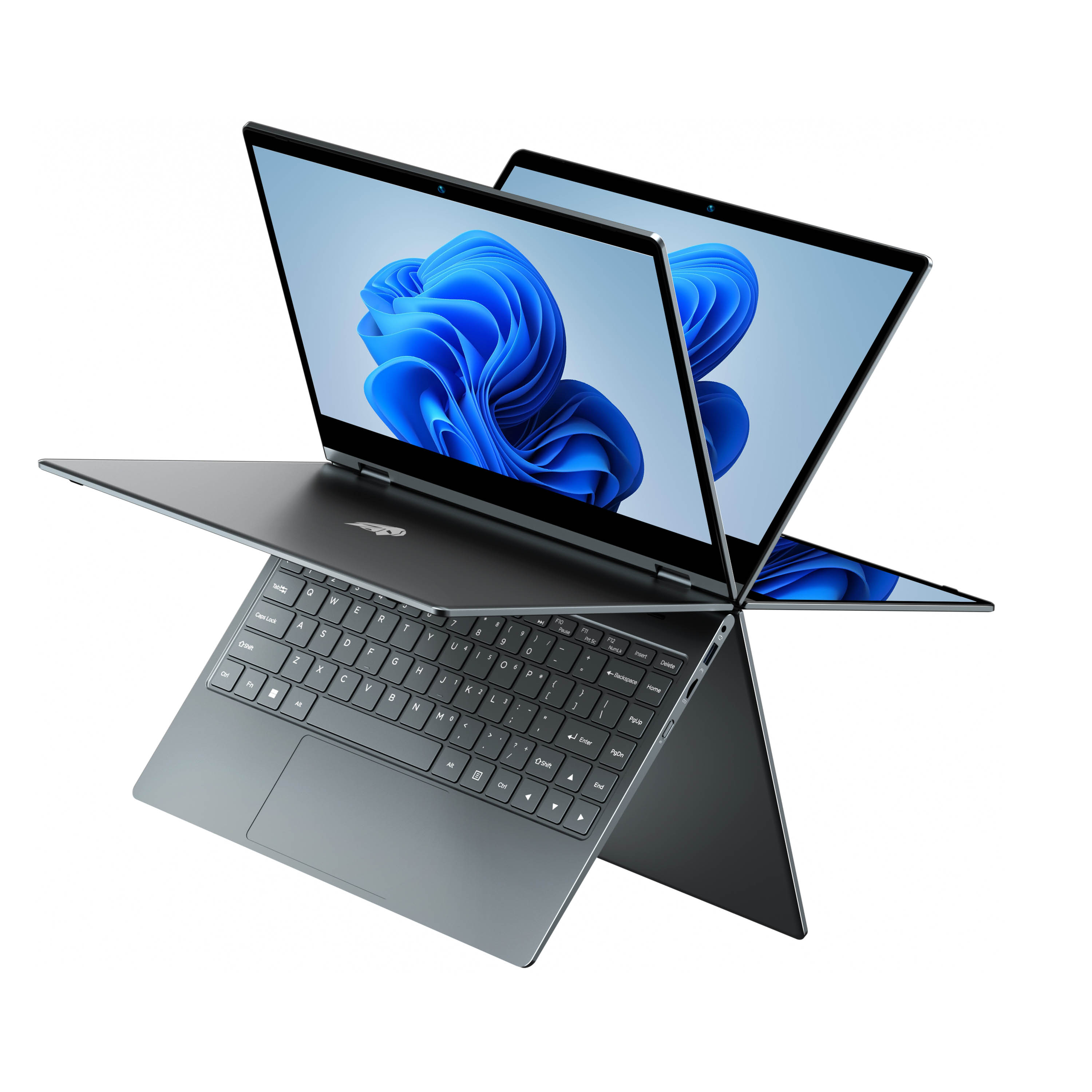
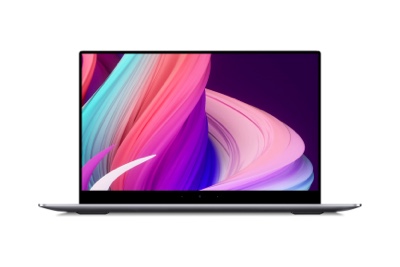
Hardware specifications mean very little if the daily physical interaction feels poor. Let us evaluate the screen first. The 14-inch 1080p IPS display delivers crisp text clarity. Anti-glare properties actively prevent eye strain during long shifts. Wide viewing angles help tremendously during prolonged reading or complex data entry sessions. You can shift your seating position without losing screen visibility.
Typing comfort matters deeply over an eight-hour shift. The 1.3mm key travel provides excellent tactile feedback. You type faster and experience significantly less finger fatigue. The keyboard layout avoids feeling cramped. Below the keyboard, the precision touchpad registers Windows multi-touch gestures flawlessly. You can pinch, zoom, and swipe between virtual desktops effortlessly.
Form factor context helps buyers understand real-world mobility. The chassis weight sits at exactly 1.65kg, roughly 3.6 pounds. It balances competing needs perfectly. It carries enough physical heft to feel highly durable on a desk. Yet, the 19mm profile remains remarkably slim. You can slide it easily into a standard messenger bag or campus backpack without noticing excessive bulk.
Battery realities often disappoint remote workers. Manufacturers sometimes exaggerate endurance numbers. Let us deconstruct the 38Wh (10000mAh) battery capacity objectively. You should set realistic expectations for daily operations. Users can expect roughly 8 to 8.5 hours of mixed productivity use. This duration survives a standard workday easily. You never need to hunt frantically for a coffee shop wall outlet.
The "no-dongle" advantage changes how you manage your workspace. The MaxBook Y14 Plus features an exceptional port layout. Full-function Type-C supports 65W PD fast charging. It also provides DP Alt Mode for connecting modern external monitors directly. You do not need expensive, bulky docking stations.
Legacy ports still matter heavily in traditional office environments. The inclusion of standard USB-A 3.2 and HDMI ports offers seamless hardware integration. You can connect older office projectors instantly. Wired peripherals, such as ergonomic mice or mechanical keyboards, plug right in. This layout represents a massive productivity win for versatile workers.
Honesty builds buyer trust. We must explicitly state the practical hardware ceilings. Display brightness peaks at approximately 250 nits. This specific illumination level proves optimal for indoor home office use or library studying. However, it will struggle visibly against glare in direct sunlight. You should avoid setting up your workspace outdoors on a bright afternoon.
Integrated graphics dictate specific usage boundaries. The onboard GPU handles 4K video decoding smoothly. It manages casual media entertainment perfectly. Do not expect AAA gaming performance under any circumstances. Professional Adobe Premiere rendering tasks will also overwhelm the system architecture. Keep your expectations aligned with office productivity.
Webcam realities require minor behavioral adjustments. The integrated 720p camera handles standard Zoom meetings adequately. In well-lit home offices, the video feed remains clear enough. In low-light environments, you may notice visual noise or grain. We highly recommend using a simple desk ring light to improve video clarity during important evening conference calls.
Comparing the spec-to-price ratio reveals clear market advantages. Standard entry-level laptops from legacy brands usually rely on outdated processors. You frequently find slow Intel Celeron or N4020 chips dominating this tier. They routinely limit users to 8GB of RAM and 256GB of storage. The MaxBook Y14 Plus clearly outpaces these traditional configurations by doubling both memory and storage capabilities.
Thermal stability ensures reliable performance over several years. Baseline idle temperatures hover safely around 38°C. During maximum processing loads, internal temperatures peak near 72°C. Many passive-cooling competitors suffer severe thermal throttling under similar stress. This specific machine stays cool and maintains steady output during demanding multi-tasking sessions.
We created a final decision framework to simplify your purchasing logic. You should shortlist this laptop if your primary success criteria match the following:
Browser-Tab Capacity: You frequently keep more than ten heavy web applications open simultaneously.
Fast Local Storage: You need immediate access to large PDF files, spreadsheets, and presentations.
Untethered Connectivity: You despise carrying multiple USB hubs and adapters in your laptop bag.
The MaxBook Y14 Plus emerges as a highly pragmatic, value-driven tool specifically tailored for document-heavy, web-based workflows. It avoids the flashy gimmicks of premium machines. Instead, it aggressively solves the most common daily friction point: insufficient system memory. The combination of an efficient Intel processor, generous SSD space, and comprehensive port availability makes it a formidable daily driver.
Take an actionable next step today. Open your current laptop and evaluate your active RAM usage through the Task Manager or Activity Monitor. If you consistently max out your 8GB allocation, it is time for a hardware upgrade. You should check current pricing and immediate availability via authorized retailers or the official BMAX store to secure this productivity upgrade.
A: Yes, absolutely. You can run dual external monitors easily by utilizing the dedicated HDMI port alongside the full-function Type-C port. This setup allows you to extend your desktop across two separate screens without requiring a third-party display hub.
A: The 16GB RAM is generous for its class, effectively pre-empting the need for future memory upgrades. While the RAM is sufficient for long-term use, the laptop does feature excellent M.2 and TF expansion capabilities. You can easily future-proof your file storage capacity as your local data needs grow over time.
A: No. The Intel N150 chip features highly efficient thermal management. Even during hour-long video conferences, maximum load temperatures remain within safe, comfortable thresholds (around 72°C). You will not experience extreme chassis heat or disruptive thermal throttling while communicating with your team.