Views: 0 Author: Site Editor Publish Time: 2026-04-09 Origin: Site
Remote work demands ultimate flexibility. Mobile studying requires highly reliable gear. However, budget tablets frequently bottleneck user productivity. Aggressive background app killing ruins your multitasking capabilities. Heavy Wi-Fi reliance disrupts off-grid workflows constantly. You need a device built strictly for actual operational efficiency.
The MaxPad I10 Plus emerges as a practical, evidence-based alternative in the sub-$150 tier. It prioritizes core work capabilities over premium vanity metrics. We will bypass the usual marketing fluff completely. Instead, we will examine the exact hardware integrations inside this specific device.
You will learn how specific software tuning works. We will explore the connectivity tools included. By the end, you will understand exactly what makes this device highly viable for your daily business operations.
Memory Architecture: BMAX’s virtual RAM tuning (up to 12GB combined) prevents multitasking crashes during intensive browser and document use.
Independent Connectivity: Built-in 4G LTE removes reliance on phone hotspots, preserving battery and maintaining secure, persistent connections for field/remote workers.
Calculated Trade-offs: The MaxPad I10 Plus is optimized for web-based workflows, cloud documentation, and communication—not heavy local rendering—delivering a high ROI for its target use cases.
Standard 4GB RAM budget tablets often fail during split-screen tasks. You might try running OneNote alongside a Zoom video call. Suddenly, the system crashes. Android's aggressive memory management kills background processes to save resources. Apps reload constantly when you switch between them. This friction destroys your workflow and breaks your concentration.
BMAX Professional Tuning fundamentally changes this dynamic. The system utilizes advanced virtual memory expansion. It pushes overall capacity up to 12GB fusion memory by converting unused storage into temporary RAM. This pairs perfectly alongside the UNISOC T606 processor. The hardware-to-outcome result is remarkably clear. Background apps stay alive much longer. Memory swapping happens efficiently without freezing the user interface.
Imagine a highly specific, persona-driven scenario. A student or agile project manager works entirely in the cloud. They keep four Chrome research tabs open simultaneously. They update a cloud spreadsheet actively. They experience zero reload lag when switching back and forth. You stay fully focused because the device handles the cognitive load seamlessly.
However, we must set realistic expectations regarding this implementation reality. This setup dominates lightweight multi-app workflows. It handles web applications beautifully. It is not designed for heavy 3D resource allocation. You should not expect flagship-level video rendering or high-framerate gaming.
Consider these best practices for optimal memory management:
Keep heavy 3D games completely closed while working on documents.
Clear your browser cache weekly to maintain peak processing speeds.
Utilize native split-screen modes instead of floating windows for better stability.
Restart the device every few days to clear residual memory leaks.

We must address the hidden operational drain of Wi-Fi dependency. Public Wi-Fi networks carry immense security risks, including potential man-in-the-middle attacks. Smartphone tethering drains your phone battery rapidly. It also introduces unstable latency during crucial meetings. You lose valuable time reconnecting whenever the mobile hotspot inevitably drops.
The dual-SIM 4G LTE capability solves this issue instantly. Independent connectivity remains a strictly necessary tool for field-worker efficiency. True nomads need persistent, secure internet access everywhere. The dual-SIM setup lets you manage work and personal data plans separately. You never have to compromise your connection quality just because you stepped outside a cafe.
Carrying a standalone mobile hotspot device adds unnecessary bulk. It means charging an extra battery every single night. It complicates your travel bag significantly. Utilizing the integrated LTE of the I10 Plus eliminates these operational hurdles entirely. You just wake the screen and begin working immediately. You save precious minutes every day.
This ecosystem extension turns the tablet into a reliable secondary communications hub. Remote teams stay connected flawlessly. If your primary phone dies during a site visit, your tablet steps up immediately. You can send urgent emails or access cloud servers directly from a remote job site without panic.
Feature Matrix | Built-In 4G LTE | Smartphone Tethering |
|---|---|---|
Connection Speed | Instant / Always-On | Delayed Setup Required |
Battery Impact | Optimized for internal OS | Drains smartphone rapidly |
Security Profile | Highly Secure / Encrypted | Vulnerable to local interception |
Latency Stability | Consistent Ping Rates | Fluctuates wildly |
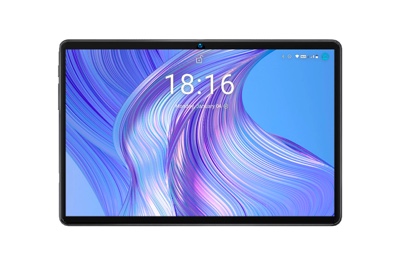
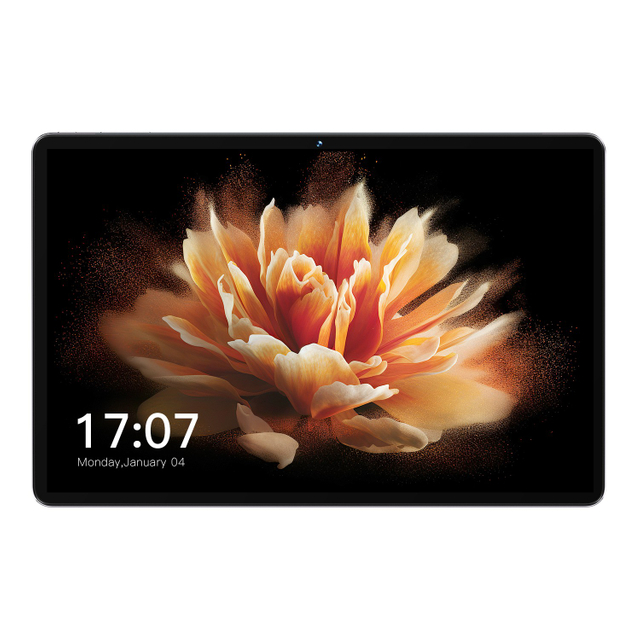
Let us anchor the reading and research experience in highly objective specifications. The 10.1-inch 1920x1200 IPS display delivers incredibly crisp text rendering. You can read complex architectural PDFs or extensive legal documents easily. IPS technology ensures accurate color reproduction from multiple viewing angles. A robust 6000mAh battery powers you safely through extended working sessions.
Software logic matters just as much as physical hardware. Deep OS optimizations reduce daily digital friction drastically. You get noticeably faster application installations. Boot times shrink down significantly. The system even incorporates deep AI integrations quietly running in the background. You benefit from smart replies and intelligent daily scheduling. The operating system actively anticipates your professional needs.
Ergonomics directly dictate portability and usage frequency. Standard 13-inch laptops often weigh well over 1.2kg. They feel bulky and restrictive in tight environments. Contrast this against the tablet's optimized physical footprint. It weighs approximately 535g to 550g. This lightweight form factor actively encourages continuous use. You can comfortably hold it during a crowded train commute. It works perfectly for restrictive environments like construction site visits.
Follow these specific optimization steps to maximize performance during a standard 8-hour workday:
Manage background sync settings aggressively for all non-essential social applications.
Utilize lightweight desktop launchers to minimize excessive home screen rendering.
Lower your screen brightness to roughly 60% during indoor document editing sessions.
Enable strict "Do Not Disturb" modes during intense focus blocks to stop notification wakes.
We must provide objective benchmark context to validate any productivity claims. Standard performance metrics reveal a highly capable machine. We look closely at PCMark Work 3.0 scores for web browsing and data manipulation. The UNISOC architecture handles these specific workloads competently. You will experience smooth scrolling and reliable data entry in cloud-based environments.
You must apply strict shortlisting logic before deployment. This device excels in very specific professional areas. It is genuinely ideal for web-based SaaS users. Heavy note-takers love the responsive IPS screen. Virtual meeting attendees appreciate the highly stable LTE connectivity. Remote educators gain unmatched portability for moving between classrooms. If you fit these distinct profiles, it fits your workflow perfectly.
We also value skeptical-friendly transparency in our evaluations. Where exactly does it compromise? It features very basic camera sensors. These handle document scanning and basic Zoom calls fine. Do not expect professional photography or high-dynamic-range video. Furthermore, the base storage relies on standard eMMC limits rather than ultra-fast NVMe SSDs found in laptops. You might experience slightly longer load times for massive files. We strongly advise users with heavy media storage needs to utilize the MicroSD expansion slot immediately.
Workflow Category | Performance Rating | Primary Limitation |
|---|---|---|
Cloud Document Editing | Excellent | None |
Virtual Meetings (Zoom/Teams) | Very Good | Basic Camera Sensor |
4K Video Editing | Poor | eMMC Storage Speed |
Remote Desktop Access | Excellent | Requires strong LTE signal |
Your final decision framework remains highly straightforward. Buy it strictly for the independent connectivity. Buy it for the impressive multitasking stability. You should skip it if you require flagship-level gaming capabilities. Skip it if your daily tasks demand heavy local video rendering power. The true value lies entirely in practical, daily utility.
You must acknowledge potential adoption risks during deployment. Initial setup requires careful, deliberate management. You must configure default apps properly from day one. You should review all background permissions carefully. This strict management ensures maximum baseline performance. You maintain total control over how the system allocates its resources.
Take actionable steps before your purchase. Verify your local 4G band compatibility thoroughly. Check carrier support in your specific operating regions. Then, consider bundling your purchase thoughtfully. Get a highly durable folio case to protect the screen. Add a high-speed MicroSD card immediately. This specific preparation ensures immediate, successful field deployment.
The final verdict remains remarkably clear. High-level productivity isn't strictly tethered to flagship prices anymore. You can achieve excellent operational results on a managed budget. This specific device resolves the two biggest budget tablet failures completely: poor RAM management and restrictive network dependency. It definitively earns its rightful place in any serious remote worker's tech stack.
Evaluate your current mobile computing efficiency honestly. Review exactly how much time you lose to poor Wi-Fi connections. Explore the specific OS configurations offered here. Take absolute control of your professional workflow today.
A: The system intelligently converts a designated portion of unused storage space into functional RAM. This process supports the UNISOC T606 chip specifically during heavy processing loads. It effectively expands your available memory pool. This prevents crucial background applications from closing prematurely while you actively multitask across various windows.
A: It functions best as a powerful companion device rather than a primary laptop replacement. If your specific work relies heavily on web apps, note-taking, and virtual meetings, it suffices completely. However, users requiring specialized desktop-class software will still need a traditional PC setup.
A: During heavy network polling and continuous LTE connectivity, the 6000mAh capacity realistically delivers roughly 6 to 7 hours of screen-on time. Managing screen brightness strictly and closing unused background applications can extend this duration significantly throughout your standard workday.
A: It primarily supports universal capacitive styluses. While it lacks specialized built-in digitizers for ultra-low latency professional drawing, the touchscreen responsiveness remains excellent. It easily handles standard note-taking, extensive document annotation, and daily productivity tasks without noticeable input lag.