Views: 0 Author: Site Editor Publish Time: 2026-04-17 Origin: Site
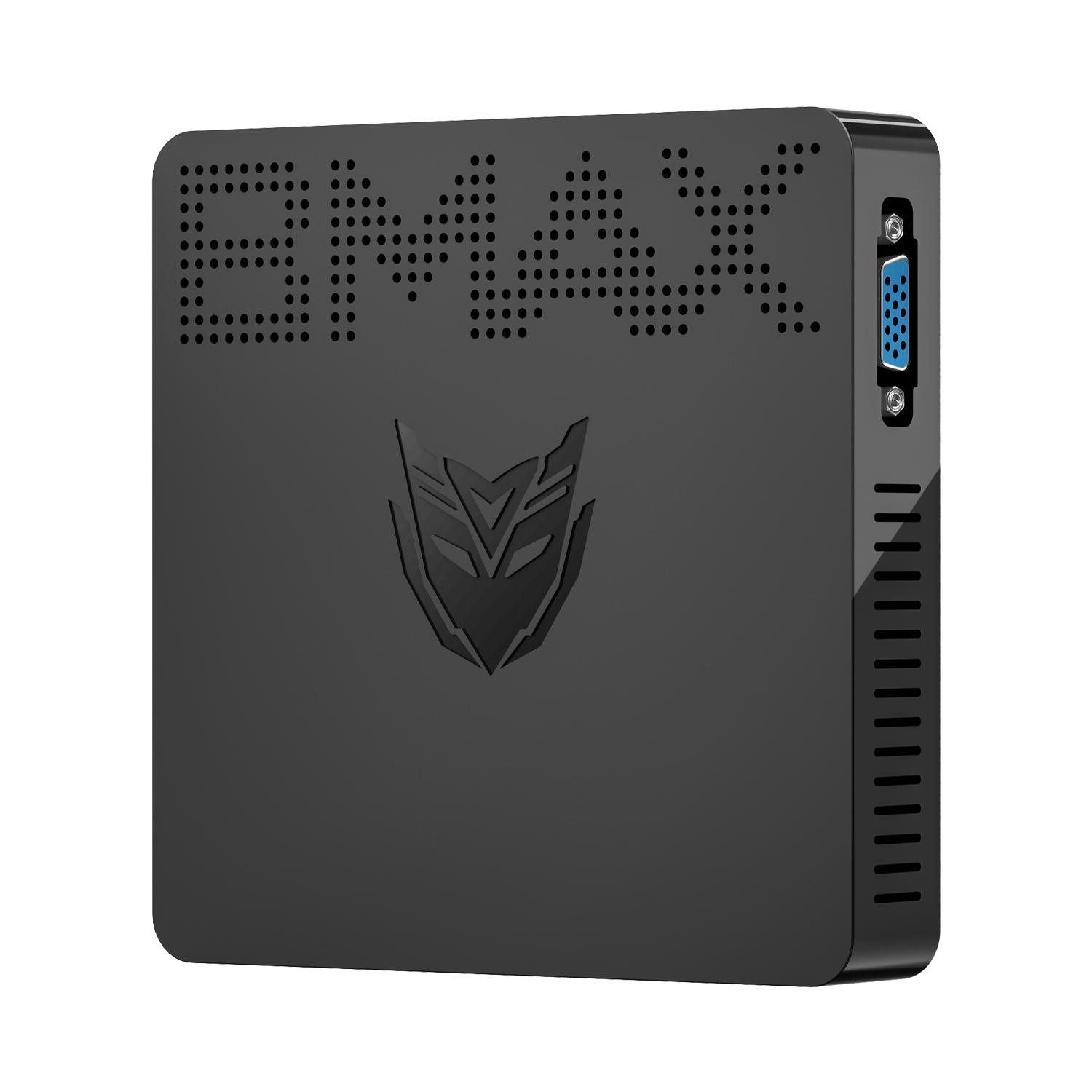
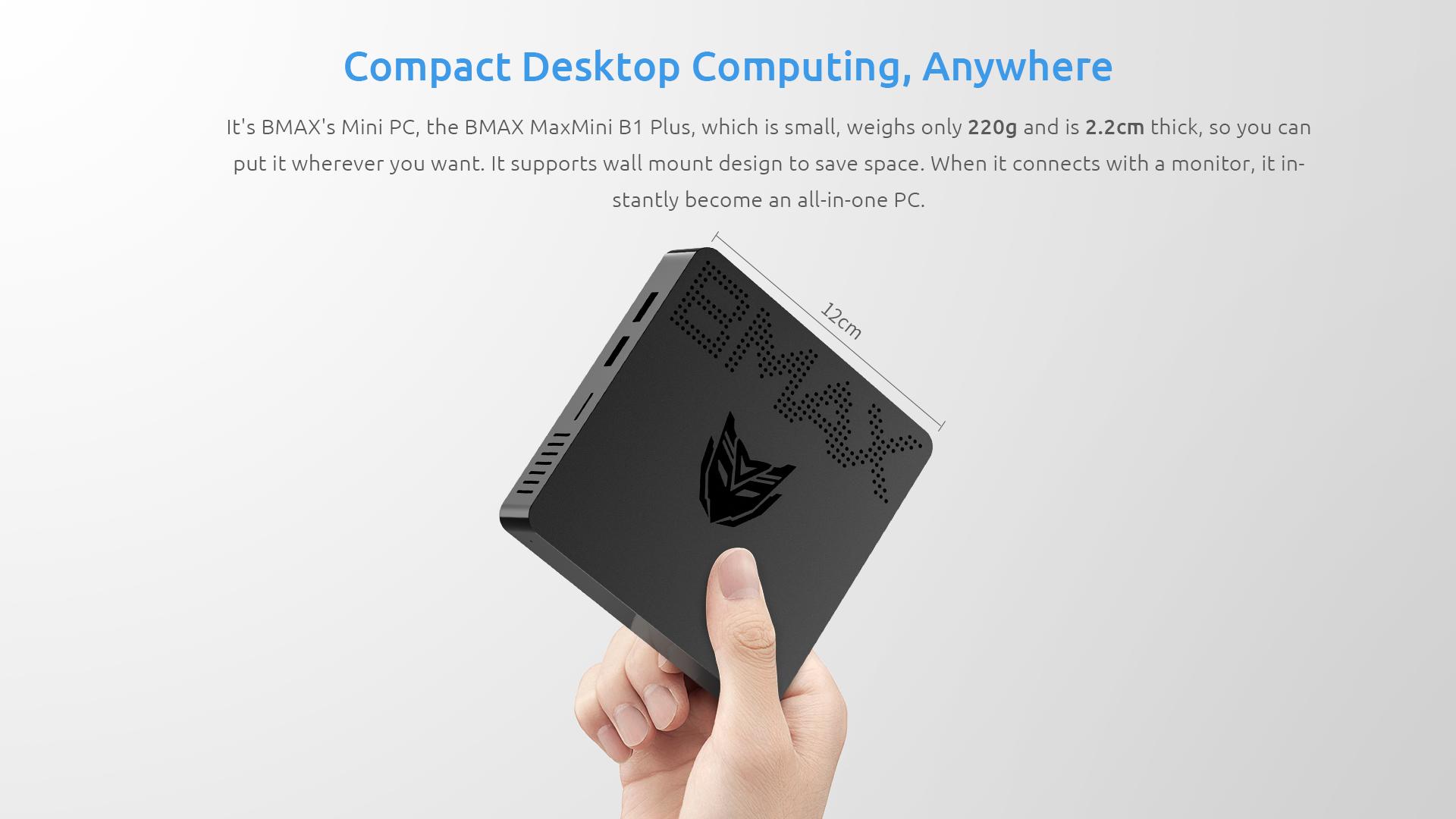
You want a computer that fits your busy life. The MaxMini B1 checks all the boxes. This mini pc packs a punch for work and travel. You can slip it into your bag and set it up almost anywhere. It offers strong performance in a tiny package. You get a space-saving device that feels right at home on your desk or on the road.
You want your home office to run smoothly. The MaxMini B1 helps you get there. This mini pc uses an Intel Celeron processor that handles your daily tasks with ease. You can open documents, browse the web, and join video calls without lag. The 4GB of RAM lets you switch between apps quickly. You do not have to worry about your computer slowing down when you have several tabs open.
The 64GB of storage gives you space for important files and programs. If you need more, you can add a MicroSD card or an M.2 SSD. This means you can keep your work organized and never run out of room. The mini pc also comes with Intel HD Graphics, so you can watch videos or join online meetings with clear visuals. You get reliable performance every day.
Tip: If you want even faster multitasking, try adding an SSD for extra speed. Your mini pc will feel even more responsive.
Your desk can get crowded fast. The MaxMini B1 solves this problem. It is small and light, so you can put it almost anywhere. You can even mount it behind your monitor to save more space. This mini pc fits in tight spots where a big desktop would never go.
You do not need to sacrifice power for size. The MaxMini B1 gives you the performance you need in a tiny package. You can keep your workspace neat and tidy. No more messy cables or bulky towers. Just a clean, modern look that helps you focus on your work.
Staying connected is important in any home office. The MaxMini B1 makes it easy. You get dual-band wifi, so you can connect to your home network quickly. If you want a stable connection, you can plug in an Ethernet cable. This is great if your router is close by and you need fast speeds.
You can connect many devices at once. Here is a quick look at the ports you get with this mini pc:
Port Type | Description |
|---|---|
USB 2.0 | Connects to your keyboard, mouse, or printer |
USB 3.0 | Fast data transfer for drives or cameras |
HDMI | Connects to modern monitors or TVs |
VGA | Works with older monitors |
Ethernet | Wired network connection |
MicroSD | Expands your storage |
Headphone Jack | For your speakers or headphones |
You can plug in a keyboard, mouse, printer, and even two monitors at the same time. The mini pcs like the MaxMini B1 make it simple to set up your perfect workspace. You can also use Bluetooth to connect wireless devices. If you move your mini pc to another room, just connect to the wifi and you are ready to go.
Note: If your wifi signal is weak, try moving your mini pc closer to your router. This helps you get the best network speed for video calls and downloads.
Mini pcs give you the flexibility to build a home office that fits your needs. You get strong performance, a small footprint, and all the connections you want. Your workday just got easier.
You want a device that makes travel easy. Mini pcs like the MaxMini B1 give you that freedom. You can slip this mini pc into your backpack or carry-on without feeling weighed down. The MaxMini B1 stands out because it weighs only 210 grams and measures just 22mm thick. That’s lighter and slimmer than most portable computing devices. Take a look at this quick comparison:
Specification | Value |
|---|---|
Weight | 210g |
Thickness | 22mm |
You can carry it anywhere. You don’t need to worry about bulky laptops or heavy desktops. The slim design means you can fit it in tight spaces, like a hotel drawer or a small travel bag. Portability matters when you move from place to place. The MaxMini B1 gives you high-performance solutions without the extra weight.
Tip: If you travel often, keep your mini pc in a padded sleeve. This protects it from bumps and scratches.
You arrive at a hotel or a coworking space. You want to get online fast. Mini pcs make setup simple. Plug the MaxMini B1 into any monitor or TV using HDMI or VGA. Connect your keyboard and mouse. You’re ready to work or stream in minutes.
You don’t need a special desk or a big workspace. The compact size lets you set up on a small table or even a nightstand. Dual-band wifi helps you connect to the hotel’s network quickly. If you need a stronger signal, plug in an Ethernet cable. Sometimes, you might use cellular internet if wifi isn’t available. The mini pc adapts to your environment.
You can also connect to your router at home or in a rental apartment. Bluetooth lets you pair wireless devices, so you don’t need extra cables. Mini pcs give you flexibility. You can work, watch movies, or join video calls wherever you go.
Note: If you want the best wifi speed, place your mini pc close to the router. This helps you avoid slow connections.
Travel brings new challenges for keeping your data safe. The MaxMini B1 helps you protect your information. Windows 10 comes preinstalled, so you get built-in security tools like password protection and automatic updates. You can set up a secure login before you leave home.
You might work in public places. Mini pcs let you lock your device when you step away. You can use a strong password or set up a PIN. Expandable storage options, like MicroSD cards and SSDs, let you keep sensitive files separate. If you need extra protection, store your important files on an external drive.
You can also use wifi networks with confidence. The MaxMini B1 supports dual-band wifi, so you can choose the safest network available. If you connect to a public router, make sure you use a VPN for extra security. Mini pcs give you peace of mind when you travel.
Callout: Always update your mini pc before you travel. This keeps your security features strong and your data safe.
Mini pcs like the MaxMini B1 make travel simple. You get portability, easy setup, and strong security. You can focus on your work or enjoy your trip without worrying about your device.
You want your workday to feel smooth and stress-free. The MaxMini B1 helps you do that. Imagine starting your morning with a quick video call. You plug in your webcam and headset. Everything works right away. You open your email, check your calendar, and start typing reports. The mini pc keeps up with you. You do not see any slowdowns.
You might need to switch between spreadsheets and web browsers. You can do this without waiting. The MaxMini B1 gives you the performance you need for busy days. You can even connect two monitors. This helps you see more and do more. If you like a clean desk, you can hide the mini pc behind your screen. Your workspace stays neat.
Tip: Use Bluetooth to connect a wireless keyboard and mouse. This makes your desk look even better.
You travel for work or like to change your scenery. The MaxMini B1 makes this easy. You pack it in your bag. It feels light and does not take up much space. When you reach your hotel or a friend’s house, you set up in minutes. You connect to the TV with HDMI. You use the hotel wifi to get online.
You can join meetings, send files, and watch videos. The mini pc works well in new places. You do not need to worry about losing your files. You can use a MicroSD card or an SSD for backup. If you want to keep your data safe, set up a password before you leave home.
Here’s a quick look at how you can use the MaxMini B1 on the go:
Location | What You Can Do |
|---|---|
Hotel Room | Video calls, emails |
Coffee Shop | Write reports, browse |
Friend’s House | Stream movies, work |
You get a device that fits your life, whether you work from home or travel often.
You may wonder which is better for you. A mini PC or a laptop? Both have good things about them. But they are made for different needs. If you travel a lot, a laptop is handy. It has a screen and keyboard built in. You can use it anywhere, like on a plane or in a coffee shop. Laptops are good if you want everything in one device.
Mini PCs like the MaxMini B1 are special. They are very small and easy to carry. You can put one in your bag. When you get to your stop, just plug it into a monitor or TV. You pick your own keyboard and mouse. This setup feels like a desktop. But you can still take it with you. Mini PCs use less power and are quiet. You can leave one on your desk and it will not take up much room.
Tip: If you already have a monitor at home or in your hotel, a mini PC saves you money and space.
Here is a quick way to see the difference:
Laptop: Has a screen, keyboard, and battery; easy to use anywhere.
Mini PC: Smaller and lighter; you need a monitor and keyboard.
You might want to know how a mini PC compares to a desktop. Desktops are strong and easy to upgrade. They are good for hard jobs like gaming or video editing. But desktops are big and use more energy.
Mini PCs are great for small spaces. You can put the MaxMini B1 behind your monitor. It is quiet and does not use much power. You do not need a big tower or lots of cables. For things like emails, web browsing, and video calls, a mini PC works well.
Look at this table:
Advantages of MaxMini B1 (Mini PC) | Disadvantages of MaxMini B1 (Mini PC) |
|---|---|
Space-saving design | Limited processing power |
Power efficiency | Lack of upgradability |
Quiet operation | Not suitable for intensive gaming or video editing |
Easily mounted behind a monitor | May struggle with heavy multitasking or server use |
You get a neat desk and easy setup. If you want a simple and reliable computer for work or travel, a mini PC is a smart pick.
Note: If you need more power for big projects, a desktop might be better. For most office work, the MaxMini B1 gives you what you need.
You can make your MaxMini B1 even better with the right accessories. These extras help you work faster and stay organized. Here are some top picks:
Wireless Keyboard and Mouse: You get a clean desk and more freedom to move.
Portable Monitor: You can set up a second screen anywhere. This helps you multitask.
External Hard Drive or SSD: You can back up your files or add more storage.
HDMI Cable: You connect your mini PC to TVs or monitors in seconds.
USB Hub: You plug in more devices at once, like printers or flash drives.
Protective Sleeve or Case: You keep your mini PC safe when you travel.
Tip: Choose a Bluetooth keyboard and mouse to cut down on cables. Your workspace will look neat and modern.
Here’s a quick table to help you pick what you need:
Accessory | Why You Need It |
|---|---|
Wireless Mouse | Easy navigation |
Portable Monitor | More screen space |
USB Hub | Connect more devices |
External SSD | Extra storage and backups |
HDMI Cable | Quick display setup |
You want your MaxMini B1 to last a long time. Simple care goes a long way. Try these easy tips:
Keep it clean. Wipe the case with a soft cloth. Dust can block vents.
Update Windows. Check for updates often. This keeps your PC safe and fast.
Restart regularly. Turn off your mini PC sometimes. This helps it run better.
Use a surge protector. Protect your device from power spikes.
Back up your files. Use an external drive or cloud storage.
Note: If you travel, pack your mini PC in a padded case. This prevents scratches and bumps.
You do not need special tools. Just a little care keeps your MaxMini B1 working like new. You get more value and peace of mind.
You need a computer that works with your busy schedule. The MaxMini B1 is great for home and travel. Many people pick it for good reasons:
Small size helps you save space.
Light weight makes it easy to carry.
Strong power lets you work and have fun.
It is friendly for your wallet.
Many ports help you do more.
Factor | Why It Matters |
|---|---|
Quality Components | Good for everyday jobs |
Customization | Matches what you want |
Connectivity | Works with all your gadgets |
Helps you spend less |
You get a one-year warranty and helpful support. Think about what you want in a computer. The MaxMini B1 might be just right for you!
Yes, you can. Just connect your webcam and headset. The MaxMini B1 handles video calls smoothly. You get clear visuals and sound. It works well with popular apps like Zoom and Teams.
You can add a MicroSD card or an M.2 SSD. This gives you extra space for files and apps. Just slide in the card or install the SSD. Your mini PC will recognize it right away.
You can set it up in minutes. Plug it into a monitor or TV. Connect your keyboard and mouse. Turn it on. Windows 10 starts quickly. You are ready to work or play.
Device | Connection Type |
|---|---|
Keyboard/Mouse | USB/Bluetooth |
Monitor/TV | HDMI/VGA |
Printer | USB |
Speakers | Headphone Jack |
You can connect many devices at once. The MaxMini B1 gives you lots of options.